 IVGraph
A second brain is a personal system outside your head—usually a notes app plus a few habits—where you save what you learn, organize it around the work you are doing, and reuse it when you make something. The term comes from Tiago Forte's Building a Second Brain method: four steps called CODE (Capture, Organize, Distill, Express) and four folders called PARA (Projects, Areas, Resources, Archives). It is one way to practice personal knowledge management (PKM). An AI second brain adds a model that searches, summarizes and files your notes, but it still works only with what you saved and connected.
What Is a Second Brain?
Forte describes a second brain as an external, centralized, digital place for the things you learn and the sources they came from. The premise fits in one line from his introductory guide: “our brains are for having ideas, not storing them.”
In practice, a second brain is not a special app. It is a notes app you already trust, filled with material you expect to use again:
- Sources: highlights from books and articles, podcast notes, saved links with one line on why you saved them.
- Your own thinking: ideas, half-formed arguments, lessons from a project that went wrong.
- Working material: meeting notes, drafts, outlines, checklists and slides you might reuse.
The payoff shows up when you start something new. Say you need a proposal on customer onboarding. Instead of a blank page, you open the project and find three interview notes, highlights from two books, last year's draft and a list of objections from sales calls. You start by editing, not by researching.
Forte taught the method in online courses—about 6,000 students over six years, by his count—and published it as the book Building a Second Brain in 2022. The idea is older than the name: commonplace books and the Zettelkasten index-card system did the same job on paper.
A Second Brain vs a Pile of Notes
Most people already have notes. What turns them into a second brain is what happens after you save something.
| A pile of notes | A second brain | |
|---|---|---|
| Why you save something | “Might be useful someday” | It serves a project, an area of responsibility or a question you keep returning to |
| Where it goes | A topic folder, or nowhere | Next to the work it serves, and linked to related notes |
| What happens later | You search for it if you remember it exists | You summarize it when you use it and look at it during a regular review |
| How you know it works | It gets bigger | You finish things faster with material you already had |
| The usual failure | Nobody opens it again | Too much setup, too little output |
A quick test: in the last month, did something you saved end up in something you made—a document, a decision, a message, a talk? If not, you have an archive. An archive is still useful, but it needs a different habit to pay off.
The CODE Method: Capture, Organize, Distill, Express
CODE is the workflow; PARA, below, is the filing system. Forte presents CODE as independent of profession and app, and you probably already do some version of each step.
Capture: keep what resonates
Save what surprises you, what you would want to find again, or what helps a project you are working on now. Forte suggests starting from the themes and questions you keep coming back to. Skip saving whole articles “just in case”: a highlight and one line on why it matters are easier to use later.
Trap: capturing feels productive, so the inbox grows faster than anything else. If yours holds more than a week of unsorted items, capture less.
Organize: by what you are working on
File a note under the project where it will be useful, not under an abstract subject. A note on pricing psychology goes into the project “Launch the new plan,” not into a folder called Psychology. That is the idea behind PARA, which Forte calls organizing for actionability.
Distill: summarize when you use a note
Forte's technique for this step is progressive summarization: save the best excerpts, then summarize those excerpts, then summarize again, each layer shorter. You do not do this when you capture. You do it when a note proves useful: the second time you open it, bold the key lines; the third time, write two sentences in your own words at the top.
Example: an article on onboarding churn becomes six highlights, then two bolded findings, then one summary—“Most churn happens before users connect their first data source.” Next time you read one line instead of the whole article.
Express: make something with it
The point of the system is output: a report, a decision, a post, a plan. Forte's working unit here is the intermediate packet—a reusable piece such as meeting notes, a list of research findings, an outline or a slide. End each work session with one packet and save it, and the next project starts with parts already made.
PARA: Four Folders Sorted by Actionability
PARA sorts everything into four top-level categories, from the most actionable to the least.
| Category | What belongs there | Examples | When it moves |
|---|---|---|---|
| Projects | Short-term efforts with a goal | Redesign the pricing page, buy a new laptop, write a research report | To Archives when finished or paused |
| Areas | Ongoing responsibilities that need attention | Marketing, hiring, health, finances, home | To Archives when you are no longer responsible |
| Resources | Topics you are interested in or learning | Pricing psychology, photography, Japanese | To Archives when interest fades |
| Archives | Inactive items from the other three | Last year's launch, a finished course | Back out when a new project needs them |
Forte designed PARA to work the same way in a file system, in cloud storage and in a notes app. In Notion it can be four top-level pages or a property on one database; in Obsidian, four folders in a vault. Our Notion second brain guide shows a full database setup with relations.
PARA has one deliberate limit: it tells you where a note lives, not what it relates to. The pricing-psychology note sits in one project but may feed three others. Links fill that gap. In Notion, @-mentions create backlinks and database relations connect records; in Obsidian, [[wikilinks]] do the same job.
Second Brain vs PKM, Zettelkasten and LLM Wiki
Personal knowledge management (PKM) is the umbrella term. Wikipedia describes it as the processes a person uses to gather, classify, store, search, retrieve and share knowledge in daily work; the term goes back to a 1999 working paper. A second brain is one PKM method, with a strong focus on finishing projects.
| Approach | Core idea | Upkeep | Good for |
|---|---|---|---|
| PKM | Any personal system for managing what you know | You | The general practice |
| Second brain (CODE + PARA) | Save notes and files for reuse, file them by project, produce output | You | Turning reading and meetings into finished work |
| Zettelkasten | Small permanent notes, one idea each, linked to each other | You | Research and writing that grows over years |
| LLM wiki | A language model turns sources into linked wiki pages and keeps them current | The model, checked by you | Large collections of sources |
The Zettelkasten is the oldest of these methods. The sociologist Niklas Luhmann kept some 90,000 index cards and credited the system for his output of about 50 books and 550 articles, according to Wikipedia. Its focus is linking ideas; PARA's focus is getting projects done. Our Zettelkasten guide covers the method and a setup in Obsidian and Notion.
An LLM wiki, the pattern Andrej Karpathy described in April 2026, hands the upkeep to the model. That addresses the most common reason second brains stall—maintenance—but adds a new job: checking what the model wrote.
The approaches combine well. A common setup is PARA for projects, Zettelkasten-style links between ideas, and an AI model for summaries and upkeep.
Second Brain Apps: How to Choose
The method matters more than the app; Forte describes CODE as working with whatever note-taking platform you prefer. Still, apps differ in ways that shape the habit. Four questions narrow the choice:
- Where should notes live? In a cloud workspace you share with a team, or in files on your own device.
- How do notes connect? Through links in the text, database relations or typed objects.
- Alone or with others? A shared second brain needs permissions and collaboration.
- Where should AI run? Inside the app, or as an outside agent that reads your notes.
The table sums up how each app describes itself on its own site (October 2026).
| App | Built around | Stands out for | Fits if you |
|---|---|---|---|
| Notion | Pages and databases connected by mentions and relations | A shared workspace; Notion AI with agents, meeting notes and search across connected apps | Already run work or a team in Notion and like databases |
| Obsidian | Markdown files with [[wikilinks]] | Notes stored on your device in open file formats; free; thousands of community plugins | Want private local files and an app you can shape with plugins |
| Logseq | An outliner of blocks and daily journals | Open source and privacy-first, with local Markdown files; flashcards and PDF annotation | Think in bullet points and daily notes |
| Anytype | Objects with types, in blocks and databases | Offline-first, on-device encryption, peer-to-peer sync on local networks | Care most about privacy and working offline |
| Capacities | Objects such as people, books and projects, with properties | Linking any object to any other; AI and queries in the Pro plan | Think in things rather than folders |
| Tana Outliner | An outliner where a supertag turns a bullet into a task, project or meeting | AI chat with a note as context; voice and meeting transcription | Want structure without designing databases |
| Heptabase | Cards on whiteboards, linked to your sources | AI that explains sources such as PDFs and YouTube videos; whiteboards for research | Learn and research visually |
Two notes on the table. Obsidian, Logseq and Anytype have a built-in graph view; Notion does not. And “Tana” now means two products: the company's main site describes an agentic meeting platform, while the note-taking outliner lives at outliner.tana.inc.
Notion or Obsidian?
Most second brains end up in one of these two. Notion suits teams, databases and shared projects; Obsidian suits a private vault of plain files you control. Our Notion vs Obsidian comparison goes through the trade-offs. In Obsidian, the graph view shows how your notes connect; for Notion, see whether Notion has a graph view and what fills the gap.
Switching apps rarely fixes a second brain you are not using. If capture and review do not happen, a new app moves the same problem to a new place.
AI Second Brain: What AI Does and What Still Needs You
An AI second brain is a second brain that a language model can read and work with. It comes in two shapes:
- AI inside your notes app. Notion, Tana Outliner, Capacities and Heptabase build it in. Obsidian gets it from community plugins such as Smart Connections, which finds related notes while you work.
- An agent outside the app that reads your files or workspace: Claude Code or OpenAI Codex working on a folder of Markdown files (see Claude and Obsidian), or an assistant connected to Notion through Notion MCP.
In March 2026 Forte launched The AI Second Brain, a program on building a second brain with AI. His argument: the bottleneck is no longer what AI can do, but whether you can give it the right information at the right time. He calls this personal context management.
| CODE step | What AI handles well | What still needs you |
|---|---|---|
| Capture | Transcribing meetings and voice notes; clipping and tagging pages | Deciding what is worth keeping |
| Organize | Filing a note into the matching project; suggesting related notes | Defining your projects and areas; fixing wrong filing |
| Distill | Summarizing sources and meetings; answering questions across notes with links to the pages it used | Checking summaries against the source |
| Express | First drafts from your notes and past work | Judgment, voice and the final call |
Search by meaning and related notes
Keyword search finds a note only if you remember its words. Semantic search matches meaning, so a question about why customers leave can find a note titled “Churn interviews, March.” Related-note features use the same idea to suggest notes you might link. Treat them as suggestions: two notes can sound alike without being connected, while a link records a relationship you decided on. Our knowledge graph guide explains the difference between similarity and named relationships.
Agents that work inside the second brain
The bigger change in 2026 is agents that read, file and write. Meta's analytics team described an internal AI second brain built on a PARA folder structure. The agent starts each session with a short root summary of who you are and what you are working on (a CLAUDE.md file), loads a project's own context only when the conversation needs it, and files incoming meeting notes into the matching project. According to the team, it was adopted by more than 60,000 people across the company.
The lesson carries over to a personal setup: PARA tells an agent what is active and where new material belongs. If your second brain is in Notion, Claude Code with Notion MCP walks through working recipes, and the Notion MCP setup helper gives you the exact config for Claude, ChatGPT, Cursor or Codex.
LLM wiki: when the model maintains the notes
The furthest step is letting the model maintain the knowledge base itself: it reads each new source once, updates the related pages and keeps cross-references current. That is the LLM wiki pattern. For a Notion version with Claude Code and a graph, see LLM Wiki for Notion.
What AI does not fix
- It sees only what it can access. Notes in another app, an unsynced workspace or a page it has no permission for do not exist for the model.
- It can be confidently wrong. Keep the source linked to every summary so you can check it.
- It does not know your priorities unless you write them down. An up-to-date project list helps an agent more than a long prompt.
- Privacy is your decision. Unless a model runs on your machine, giving it your notes means sending their content to the model's provider.
How Links and a Graph Keep You From Losing What Matters
Search answers questions you already know to ask. A second brain usually fails more quietly: an important page stops being opened, a good idea is captured and never connected, and two notes about the same problem never meet. Nobody searches for something they have forgotten exists.
Links are the first defense. Give every new note at least one link—to a project, an area or a related idea. Backlinks then show where a note has been used, and a forgotten page keeps a path back to the work it belongs to.
A graph view is the second. It draws every note as a node and every link as a line, so you see the whole structure instead of one page at a time.
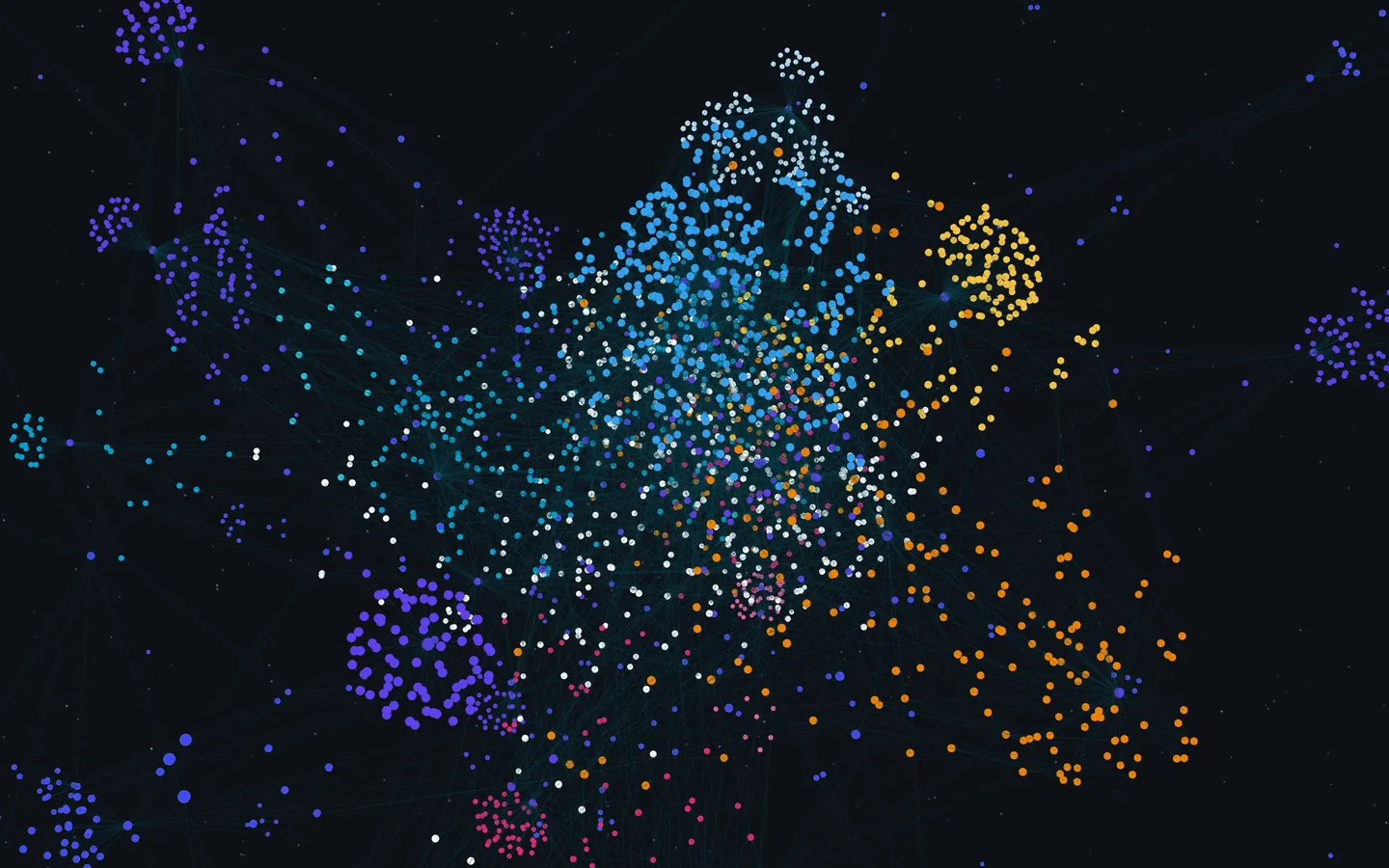
Read the graph for signals, then decide what to do next:
| Signal | What it often means | What to do |
|---|---|---|
| Hub: a page with many links | Something a lot of your work depends on—a client, a core concept, an index page | Check that it is current; it is often the best place to start |
| A hub not edited for months | A foundation that may be out of date | Review it before you build on it |
| Orphan: a page with no links | Captured, never used | Link it to a project, or move it to Archives |
| Dense cluster | An active theme | Check whether it has a project—or an output waiting to be written |
| Similar pages with no link between them | The same idea in two places | Link or merge them |
A 20-minute weekly review
- Update the project list. Move finished or paused projects to Archives.
- Open the hubs. Are they still accurate? Is anything waiting on them?
- Clear this week's orphans. Link each one to a project, or archive it.
- Make one or two connections. Look at similar pages for an idea that belongs in a current project.
- Write the next action for each active project.
The result is a short list of what to look at and what to do next, not a prettier picture.
Doing this in Notion with IVGraph
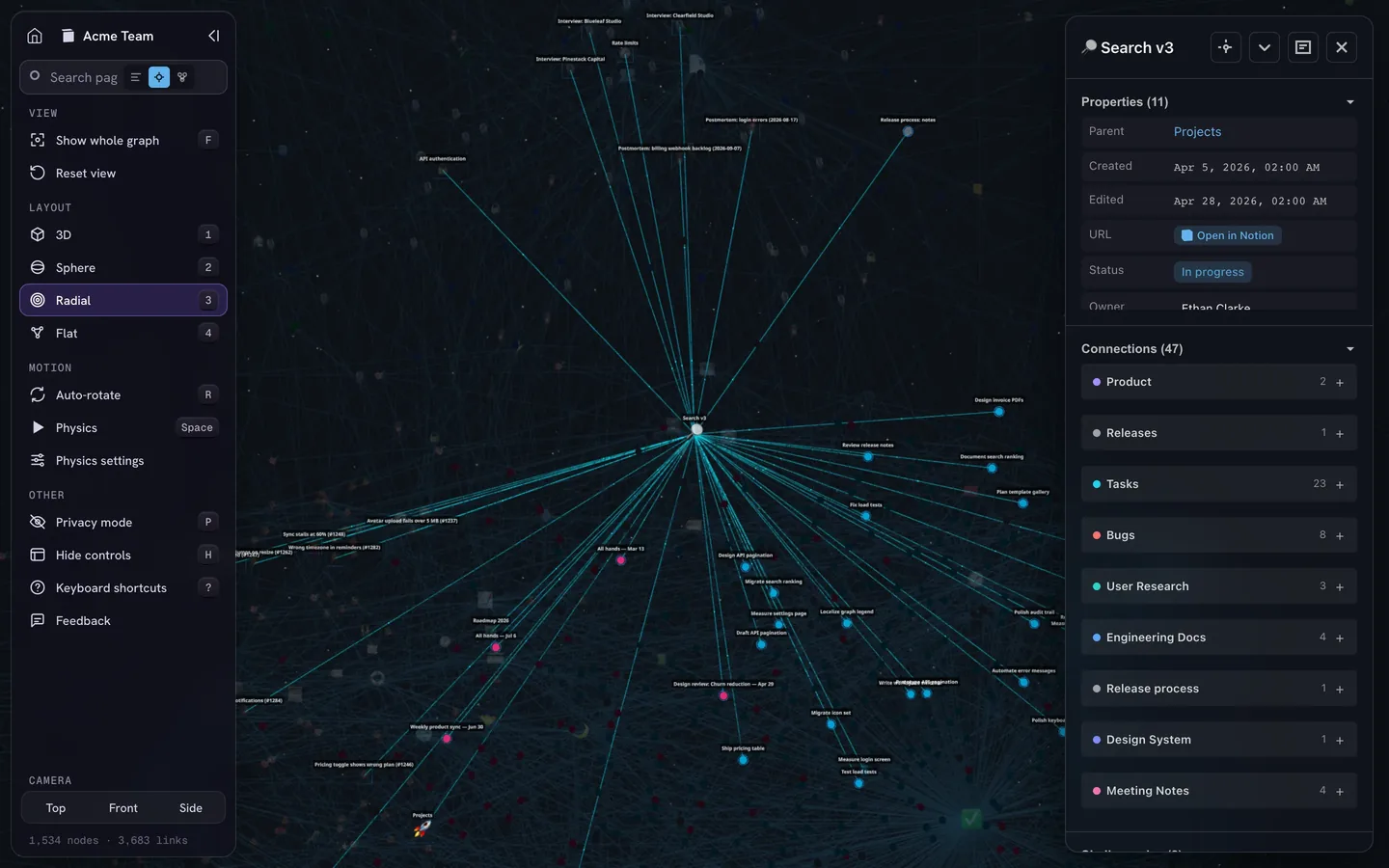
Notion has no built-in graph view. IVGraph connects to a Notion workspace and shows its pages and databases as nodes, with mentions, backlinks and database relations as links in an interactive 3D graph. For the review above:
- Hubs, key pages and pages without links. Free analytics shows which pages matter most by PageRank, which are hubs and which have no links at all.
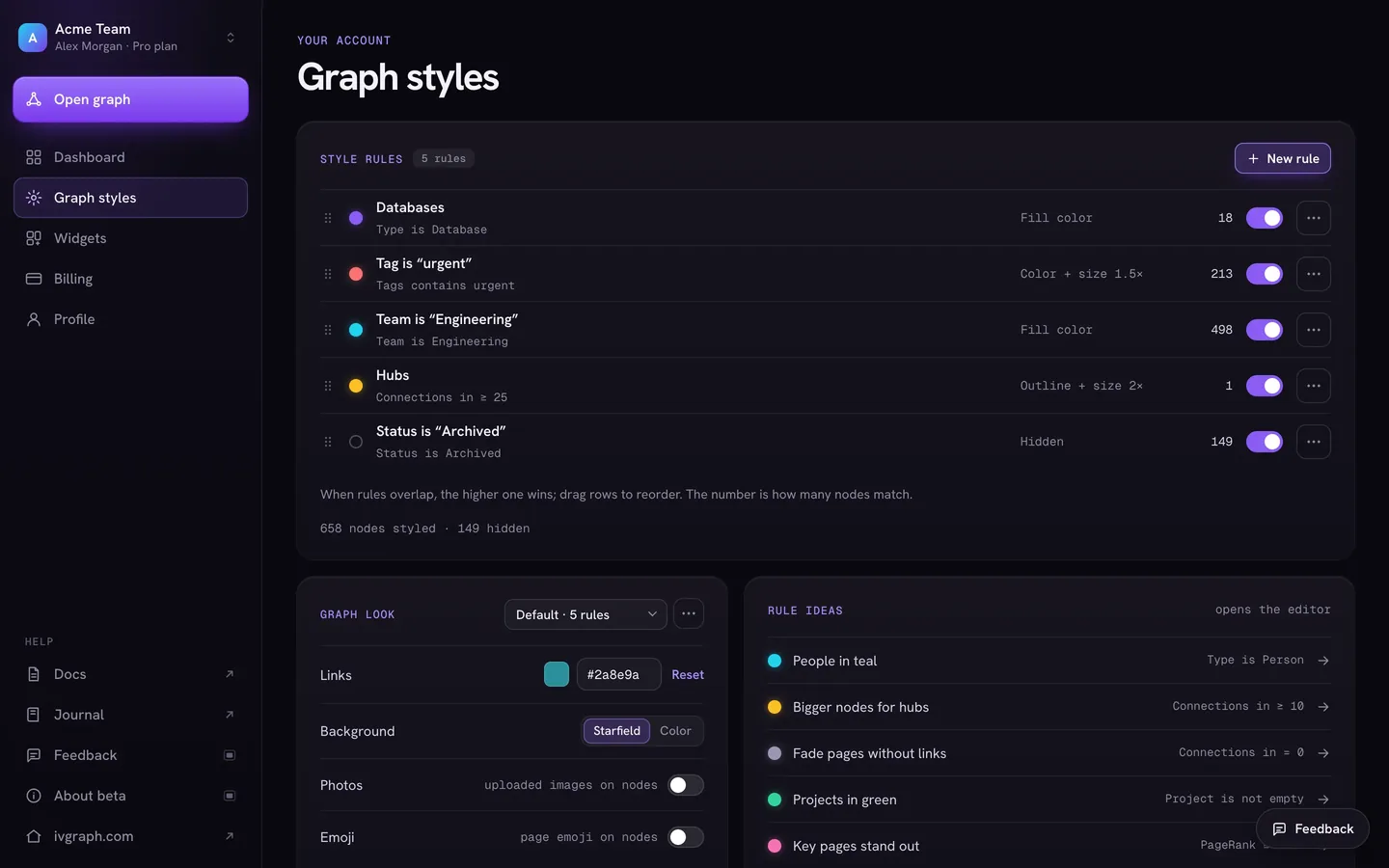
- Rules. Graph styles color, resize or hide pages by type, tag, property or connection count—for example, bigger nodes for hubs and faded nodes for pages without links.
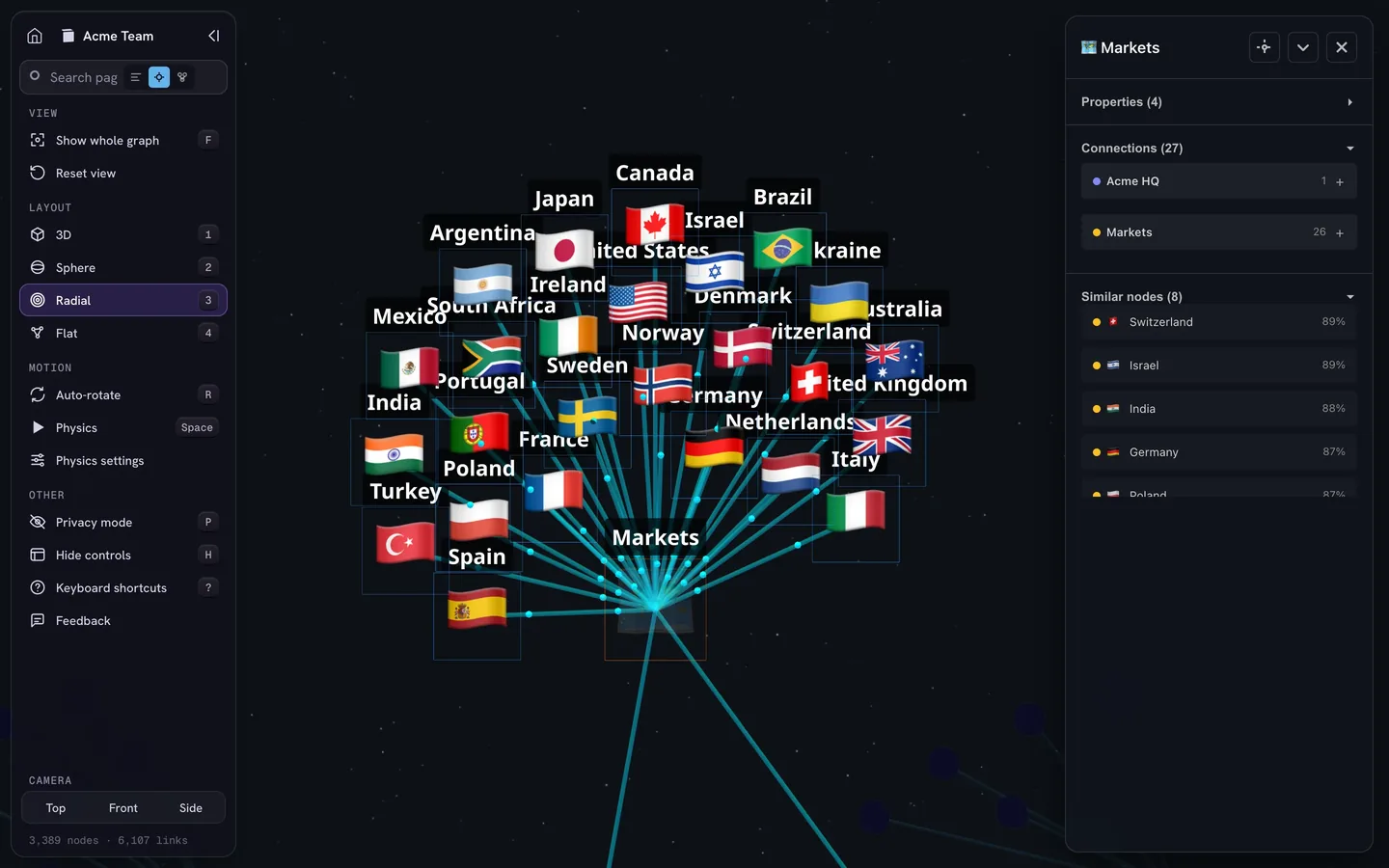
- Edit dates and similar pages. The card of a selected page lists its properties, including when it was created and last edited, its connections grouped by database, and similar pages with a match score.
- Agents. On the Pro and Max plans, a read-only API lets Claude, Cursor or your own agent search the graph, read page content, list a page's neighbors and find the shortest path between two pages. IVGraph has no MCP server of its own yet; on the homepage it is marked “Soon.”
IVGraph is free up to 500 nodes. It does not decide what you should work on. It shows where your notes connect and where they do not, so the weekly review involves less guessing.
How to Start a Second Brain This Week
- Pick the app you already write in. A second brain you open daily beats a better one you visit on weekends.
- List your projects and areas. Five to ten active projects and a handful of areas are enough to start PARA. Resources and Archives can wait.
- Capture only for active projects for the first two weeks. It keeps the inbox small and shows you what is worth saving.
- Link every new note to at least one project, area or idea.
- Distill on reuse. Summarize a note the second time you need it, not the first.
- Ship one intermediate packet by the end of the week: an outline, a summary or a short memo built from your notes.
- Book the weekly review as a recurring 20-minute slot.
Expect the setup to change. After a month you will know which projects need more structure—a database, a template, an AI summary step—and which notes nobody opens. If you build in Notion, the Notion second brain guide covers the databases and relations in detail.
FAQ
What is a second brain in simple terms?
A second brain is a trusted place outside your head, usually a notes app, where you save what you learn and the material for your projects, so you can find it and reuse it later. The point is not storage but output: notes that end up in documents, decisions and finished work.
Who came up with the second brain?
The term and the method were popularized by Tiago Forte, who taught Building a Second Brain in online courses and published it as a book in 2022. The underlying idea is older: commonplace books and Niklas Luhmann's Zettelkasten kept knowledge outside the head on paper.
What is the difference between a second brain and PKM?
Personal knowledge management (PKM) is the general practice of gathering, organizing, finding and sharing what you know. A second brain is one PKM method, with specific steps (Capture, Organize, Distill, Express) and a filing system (PARA) that sorts notes by the projects they serve.
What is the best app for a second brain?
The one you will open every day. Notion suits teams and databases, Obsidian suits private Markdown files on your device, Logseq suits outliners and daily notes, Anytype suits offline and privacy, and Capacities, Tana Outliner and Heptabase suit typed objects, supertags and visual research. The method works in any of them.
What is an AI second brain?
It is a second brain that a language model can read and work with: AI inside a notes app, or an agent such as Claude Code that reads your files or workspace. It can transcribe, summarize, file notes and answer questions across them. It still depends on what you saved, and it does not know your priorities unless you write them down.