


Notion Graph View Plugin

Notion Knowledge Graph Visualization

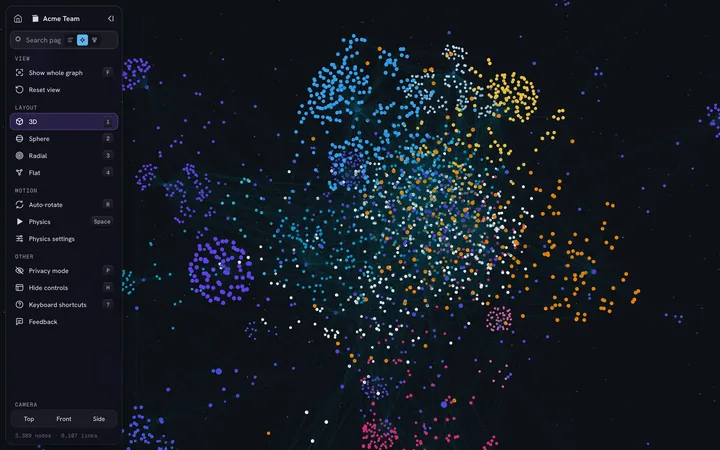
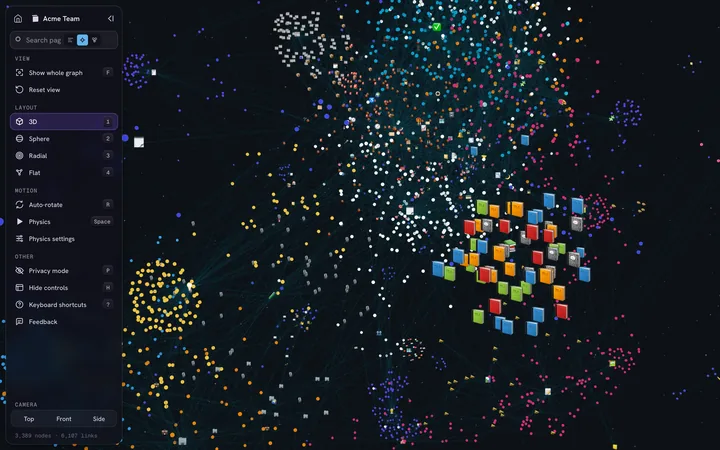
IVGraph is the ultimate graph view for Notion. It transforms your workspace into an interactive knowledge graph with beautiful 3D node-based visualization — every page, backlink, and relation on one living map.

Free up to 500 nodes · read-only access to your Notion

  1. 1Sign in with Notion
  2. 2Pick pages
  3. 3Explore in 3D

By signing in you accept the Terms and Privacy Policy.

—Users
—Nodes Mapped
—Syncs Completed
Platform Stats

Trusted by Notion users worldwide

Updated daily · All data anonymized

—Users
—Nodes Mapped
—Syncs Completed
Workspace size distributionNodes per workspace
< 100 —100–500 —500–2K —2K+ —
Features

Powerful Graph Features

Discover hidden connections in your Notion knowledge graph with our advanced visualization interface.

Interactive Graph

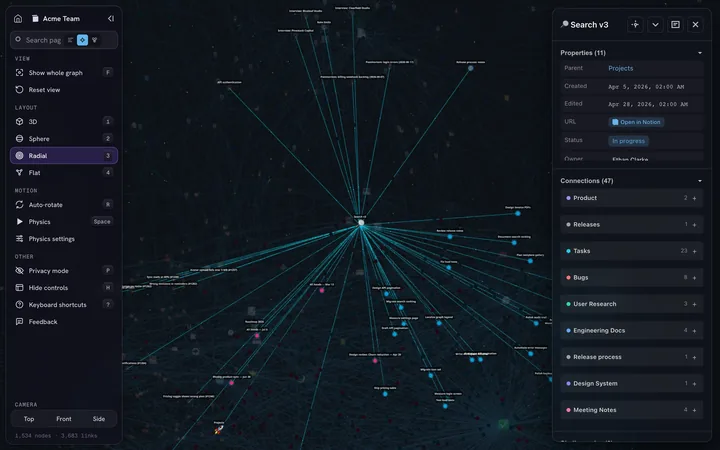
Navigate your Notion pages as connected nodes. Click, drag and explore relationships — like Obsidian graph view, but for Notion.

Free

Notion Sync

Sync your workspace in one click; the graph updates after every sync.

Free

Graph Styles

Color and size pages by rules — databases, tags, dates — and tune the physics.

Free

Smart Search

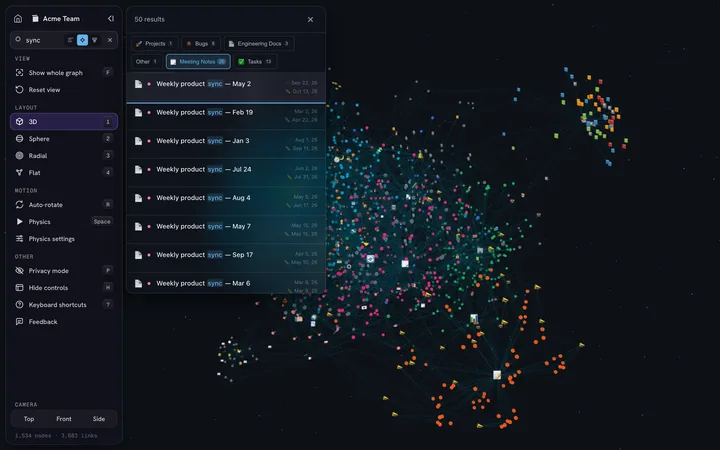
Find any page in your graph and jump straight to it.

Free

Analytics

See which pages matter most (PageRank), which are hubs, and which have no links at all.

Free

AI Agents

Let Claude, Cursor or your own agent read your graph through the IVGraph API.

Pro · Max

Notion Widgets

Habit tracker, progress bar, countdown, clock and calendar — embed them in any Notion page.

Widgets With Your Data

Habits and progress straight from your Notion databases.

Soon

Claude & Cursor (MCP)

Connect your AI assistant to the graph in one step.

Soon
Notion + IVGraph

What Notion shows — and what it doesn't

Notion has backlinks and charts for numbers, but no graph of connections. IVGraph adds the map.

CapabilityNotion aloneNotion + IVGraph
Graph of pages and links—Interactive 3D graph
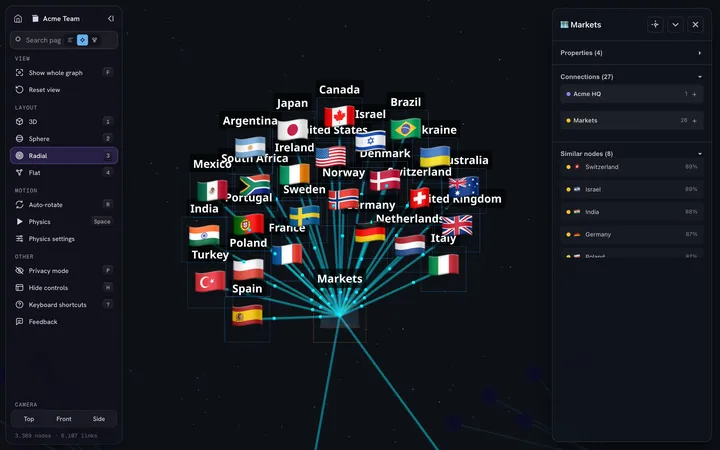
Databases and relationsTables and viewsRelations drawn as edges
BacklinksA list on each pageAll at once, on one map
Orphaned pagesHard to findVisible as lonely nodes
Page importance—PageRank scoring
Charts for numbersNative chartsNot our focus
Latest Updates

Latest from the Journal

Follow our progress and upcoming features

View all →
Guide

LLM Wiki for Notion: Claude Second Brain + 3D Knowledge Graph

How we turned 1800+ Notion pages into an LLM wiki: Claude Code reads and synthesizes, the node graph shows every hidden connection. Real workflows included.

Release

What’s New — October 2026

A redesigned dashboard and graph styles, a cleaner graph panel on desktop and phone, and the whole product in 8 languages.

New Dashboard

Workspaces, sync, plan usage, AI agent keys and recent activity on one screen. Billing and Profile are rebuilt too.

Sync Progress

A running sync shows its progress right in the workspace list, and every sync is recorded in the activity log.

Graph Styles

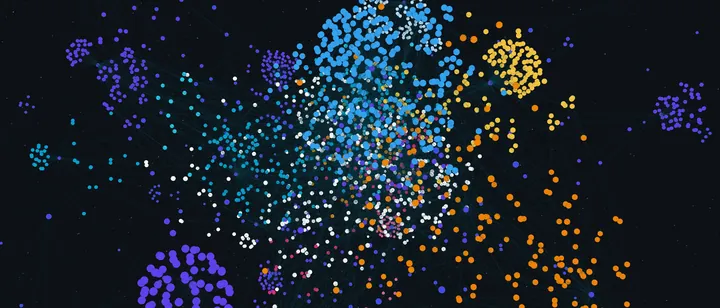
Rules color, resize, outline or hide pages by database, tag, any property or number of links. Rule ideas help you start, and the graph look — links, background, photos, emoji — is set on the same screen.

Graph Side Panel

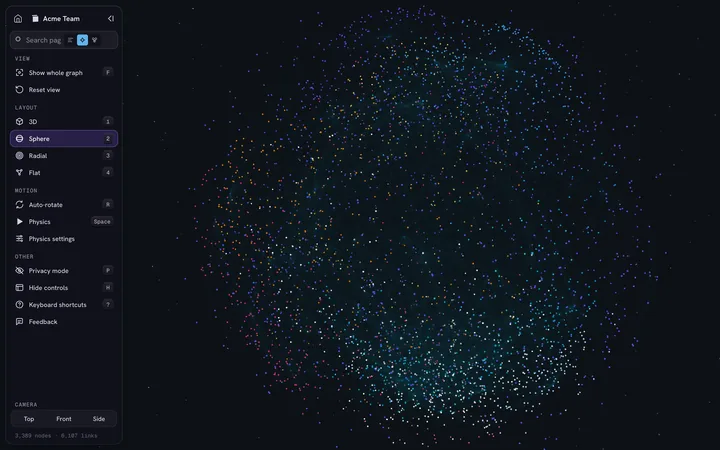
All graph controls in one labelled column: layouts, camera, physics, privacy mode and keyboard shortcuts.

Graph on Your Phone

Search, page cards and camera views open in a panel at the bottom of the screen; the menu below switches layout, camera and settings.

8 Languages

Site, dashboard and graph in English, Spanish, Korean, Traditional Chinese, French, German, Japanese and Portuguese. The language follows the site page you came from, and you can switch it in the menu.

Feedback Everywhere

A Feedback button on every page of the site, the dashboard and the graph — we read every message.

Next: widgets with your own Notion data and connecting Claude and Cursor to your graph.
Architecture

Microservices & New Features

Major architecture upgrade with microservices, new graph features, multi-user support, and mobile UI.

Major updates over the past two weeks:

Microservice Architecture

Migrated to microservices — Auth, Graph, Search, Integration now run independently. Foundation for scaling.

New Graph Features

  • Spaceship camera controls with full 360° rotation
  • Notion page properties displayed in node panel
  • Customizable node stroke width
  • Privacy Mode — blur personal data for demos

Multi-User Support

Secure account switching with data isolation at PostgreSQL schema level.

Sync Progress

Real-time progress bar for Notion sync: loading pages → image indexing → search index.

Mobile UI

Admin panel adapted for smartphones (Tailwind CSS v4).

Next: Q1 2026 — beta for first 50 users.

Demo

Watch Demo

See IVGraph in action - live demonstration of Notion graph visualization

IVGraph demo: a Notion workspace as a 3D graph
Click to play video
Roadmap

Product Roadmap

Our journey to building the ultimate Notion graph view plugin

15 of 21
milestones shipped
DoneIn ProgressTo DoBacklogPlanned
Q4 2025 Done

Core Graph

  • ✓3D interactive Notion graph
  • ✓Sync with your Notion workspace
  • ✓Search and filters
  • ✓Sign in with Notion (OAuth)
Q1 2026 Done

Beta Launch

  • ✓First users in the beta
  • ✓Multiple workspaces
  • ✓Graph styles editor
  • ✓API for AI agents
  • ✓Paid plans
Q2–Q3 2026 Done

Plans & Stability

  • ✓Max plan and yearly billing
  • ✓Page importance (PageRank) in search
  • ✓Stable performance on large graphs
Q4 2026

New Dashboard & 8 Languages

  • ✓New dashboard and graph
  • ✓Site, dashboard and graph in 8 languages
  • ✓Free Notion widgets
  • Widgets with your Notion data
  • Connect Claude & Cursor to your graph (MCP)
2027

Sharing & Teams

  • Share a graph by link
  • Shared graphs for teams
  • Comments on nodes
  • Mobile apps
FAQ

Frequently Asked Questions

Everything you need to know about the Notion graph view and IVGraph

What is a Notion graph view?

A Notion graph view is a visual representation of your Notion workspace that displays pages, databases, and their connections as an interactive node graph. Similar to Obsidian's graph view, it helps you visualize relationships between your notes and discover hidden connections in your knowledge base. IVGraph provides the best graph view for Notion, with 3D visualization and automatic workspace sync.

How to make a graph in Notion?

It depends which graph you mean — Notion has native charts for numbers, but no graph of connections (we break down both paths in How to Make a Graph in Notion). For the knowledge-graph kind, here's how it works with IVGraph:

  1. Sign in with Notion — free up to 500 nodes
  2. Connect your Notion workspace via OAuth
  3. IVGraph automatically syncs your pages and databases
  4. View your Notion knowledge graph in interactive 3D

The entire process takes less than 2 minutes!

What is a Notion knowledge graph?

A Notion knowledge graph is a network representation of all the information in your Notion workspace. It shows how your pages, databases, and content are interconnected through links, relations, mentions, and parent-child relationships. IVGraph transforms your Notion data into a knowledge graph that helps you:

  • Discover unexpected connections between topics
  • Identify orphaned pages with no connections
  • Understand the structure of your knowledge base
  • Navigate complex workspaces more efficiently
Is IVGraph a Notion graph view plugin?

While Notion doesn't support traditional plugins, IVGraph works as a Notion graph view plugin alternative. It connects to your Notion workspace via the official Notion API and provides graph visualization features that Notion lacks natively. Unlike browser extensions, IVGraph offers:

  • Full 3D interactive visualization (not just 2D)
  • Automatic synchronization with your workspace
  • Advanced analytics and PageRank scoring
  • Works across all devices and browsers
How is IVGraph different from Obsidian?

IVGraph brings the beloved Obsidian graph view experience to Notion. Key differences:

  • Data source: IVGraph works with Notion (cloud-based), while Obsidian uses local markdown files
  • 3D visualization: IVGraph offers full 3D graph navigation, Obsidian is 2D only
  • Database support: IVGraph visualizes Notion databases and relations, not just page links
  • Multiple workspaces: IVGraph can connect several Notion workspaces to one account

If you love Obsidian's graph but need Notion's collaboration features, IVGraph is the perfect solution.

Is IVGraph free? Can I use it now?

Yes. Sign in with Notion and see your graph in about two minutes — free up to 500 nodes. Paid plans:

  • Starter, $5/month: up to 3,000 nodes and 3 workspaces
  • Pro, $10/month: up to 10,000 nodes, 10 workspaces and the API for AI agents
  • Max, $20/month: up to 20,000 nodes and 20 workspaces

Yearly billing saves about 17%. IVGraph is still in beta: the core works, and we keep adding features — see the roadmap and pricing.

Contact

Get in Touch

Connect with us and stay updated on the latest developments.

Map your Notion in 2 minutes

Connect your workspace and see every page, backlink and relation as one living graph.

Map my Notion