 IVGraph
A knowledge graph represents knowledge as things connected by meaningful relationships: people, books, projects and ideas become nodes, and their connections become edges. For example, Maya wrote Field Notes, and Field Notes discusses Urban Gardening. Those three nodes and two named relationships are a small knowledge graph—not just a list of related words.
A simple example: things, connections, questions
Imagine a reading notebook containing that fictional author, book and topic. You could write the information as sentences, or make the relationships explicit:
Maya → wrote → Field Notes
Field Notes → discusses → Urban Gardening
Now start at Maya and follow the connections. Which topic does her book discuss? Start at Urban Gardening instead: which books discuss it, and who wrote them?
That is the practical idea behind a knowledge graph. It preserves what something is connected to and how, so people or software can follow those connections rather than reconstructing them from scattered text.
The word “knowledge” matters. A line between Maya and Field Notes says little by itself. A line labeled wrote makes a specific statement. Change the label to reviewed, and you have a different fact.
The building blocks of a knowledge graph
Entities: the things you describe
An entity is a particular thing or concept represented by a node. It might be a person, organization, location, event, document or topic. In our example, Maya is a person, Field Notes is a book, and Urban Gardening is a topic.
Keep identity separate from the displayed name. If your notebook contains two people named Maya, do not merge them just because their labels match. Conversely, “Maya” and “Maya — author” might refer to the same person. Deciding which records describe the same entity is part of building a useful graph.
Relationships: what connects the entities
An edge connects nodes. Its type describes the relationship: wrote, works-for, depends-on or discusses, for example.
Direction matters too. “Maya wrote Field Notes” is not the same statement as “Field Notes wrote Maya.” Choose labels you can read aloud as sentences; awkward sentences often reveal an unclear model.
Properties: details about a thing or connection
Properties describe an entity or relationship. For our fictional book, you might record a title and reading status. For Maya, you might record a display name.
Should a detail be a property or another node? For a first project, ask whether you want to connect other things to it. A reading status could stay a property; a topic deserves its own node if you want multiple books to connect through it.
Triples: one statement at a time
A triple expresses a fact as subject–predicate–object. For Maya → wrote → Field Notes:
- Subject: Maya—the entity the statement starts with.
- Predicate: wrote—the relationship being asserted.
- Object: Field Notes—the target of that relationship.
Triples are a compact way to understand the model. You do not need to write every connection in this notation when working in a notes app; a named relation can express the same basic idea.
For developers, there are different implementation approaches. Esri distinguishes property graphs and RDF graphs: property graphs attach key-value properties to nodes and relationships, while RDF represents statements through triples. “Knowledge graph” does not specify a single storage format.
Schema and ontology: the shared vocabulary
A schema defines the kinds of entities and relationships your model uses. Our reading graph could allow:
Person → wrote → Book
Book → discusses → Topic
An ontology formalizes meanings and may define additional relationships between types. Graphwise describes an ontology as a contract about meaning between a graph's developers and its users, including software.
For a small notebook, start with a short vocabulary rather than a large formal model. Write down what each relation means. Does discusses mean a book substantially covers a topic, or merely mentions it? Consistency makes the resulting connections interpretable.
Knowledge graph examples: Google and Wikidata
Google Knowledge Graph
Google Knowledge Graph is a familiar example because its information appears in search results. IBM's overview describes it as serving information based on people's searches and identifies sources including Freebase, Wikipedia and the CIA World Factbook.
The useful distinction is between a word and the entity it names. IBM uses Apple the company versus apple the fruit to explain how schemas, identity and context help distinguish meanings. A search system needs that distinction to return information about the right thing.
Wikidata
Wikidata is an open knowledge graph associated with Wikipedia. At the time of writing, IBM's overview reports over 120 million entries spanning 300 languages.
The scale is very different from a personal notebook, but the basic idea is recognizable: describe entities and connect their descriptions. A topic is not useful only as an isolated entry; its connections provide context for other entries.
These examples do not mean your graph must describe the whole world. A graph covering one research question or one team's projects can use the same building blocks.
Knowledge graph vs database, mind map and vector store
These tools overlap, but they organize information for different jobs. The most useful comparison is the question you want to answer—not which tool is universally better.
| Approach | Primary organization | Example question | Main distinction |
|---|---|---|---|
| Knowledge graph | Entities connected by typed relationships | Which authors wrote books about this topic? | Makes the meaning of connections explicit. |
| Relational database | Records in tables, connected through keys | Which books have reading status “Finished”? | Organizes structured records; relationships can also be queried. |
| Mind map | Ideas arranged in branches around a topic | What should my gardening research cover? | Useful for outlining and brainstorming rather than defining reusable facts. |
| Vector store | Numerical representations used for similarity retrieval | Which passages are similar in meaning to this question? | Similarity is not the same as a named factual relationship. |
A knowledge graph is not the opposite of a database
A knowledge graph describes a representation of knowledge. A database is technology for storing and querying data. A graph database is designed around connected data and can support a knowledge graph.
Relational databases also represent relationships. The distinction is not “tables cannot connect things”; it is how those connections are modeled and explored. Esri emphasizes graph databases' focus on explicitly stored relationships, particularly for questions spanning multiple connections.
For a straightforward reading-status list, a table may be all you need. If the questions repeatedly move from books to authors to topics and back to other books, a graph model becomes worth considering.
A mind map sketches; a knowledge graph states relationships
A typical mind map branches from a central idea. A knowledge graph can connect entities across those branches using different relationship types. “Part of my research plan” and “written by this person” should not become indistinguishable lines.
If you are still deciding which concepts belong in a project, a sketch may be the right starting point. A mind map maker for Notion fits that planning task; you can define reusable relationships afterward.
Vector similarity and explicit relationships answer different questions
Finding a passage that sounds relevant is different from finding a recorded connection. “Text similar to urban gardening” and “books explicitly linked to Urban Gardening” may produce different results.
The approaches can coexist. IBM describes a Wikidata-related implementation that vectorizes graph data for retrieval. A graph does not have to replace similarity search, and similarity search does not supply the meaning of every relationship.
What are knowledge graphs used for?
Search and question answering
Knowledge graphs give search systems entities and context to work with, rather than words alone. In our reading example, you could answer “Which authors discuss Urban Gardening?” by following the topic-to-book-to-author connections.
Recommendations
IBM describes knowledge graphs supporting retail recommendations based on purchase behavior and entertainment recommendations based on engagement. The common idea is to use connected information to identify relevant items.
For a small personal example, you could use shared topic connections to build a “read next” list. The recommendation would have an understandable reason: this unread book discusses a topic connected to books you already selected.
Data integration
Different sources may describe the same entity differently. A graph can connect those descriptions through a shared identity and vocabulary.
Imagine research notes saying “Maya,” a reading list saying “Maya — author,” and an interview page referring to the same person. Resolving those references lets the book and interview connect through one person rather than remain separate records.
RAG and AI
Retrieval-augmented generation, or RAG, gives a language model retrieved context to help it answer a question. Graph-based retrieval can use explicit relationships to assemble that context.
Brian Curry's knowledge graph guide describes relationship traversal and traceable connections as benefits for AI applications. Our GraphRAG explanation explores that retrieval pattern in more detail.
Personal knowledge graphs: start with your notes
A personal knowledge graph applies these ideas to your own material: notes, projects, reading lists, people and concepts. You do not need an enterprise data pipeline to begin.
A Notion workspace already has graph structure:
- Pages are nodes.
- Mentions and backlinks connect pages through references.
- Database relations connect records through named fields.
- Parent-page relationships describe hierarchy.
Those connections do not all say the same thing. A page mentioning a book is not necessarily endorsing it, summarizing it or using it for a project. For precise connections, give Notion database relations meaningful names. Use Notion backlinks to navigate references, then read the surrounding text to understand why the reference exists.
Obsidian vaults connect notes with wikilinks. The same modeling question applies: does the link merely point somewhere, or does the note explain the relationship? Our Notion vs Obsidian comparison covers the broader choice between those environments.
There is a useful distinction here: linked notes form a graph, while a formal knowledge graph adds explicit, consistent semantics. You can start with the first and gradually strengthen the second.
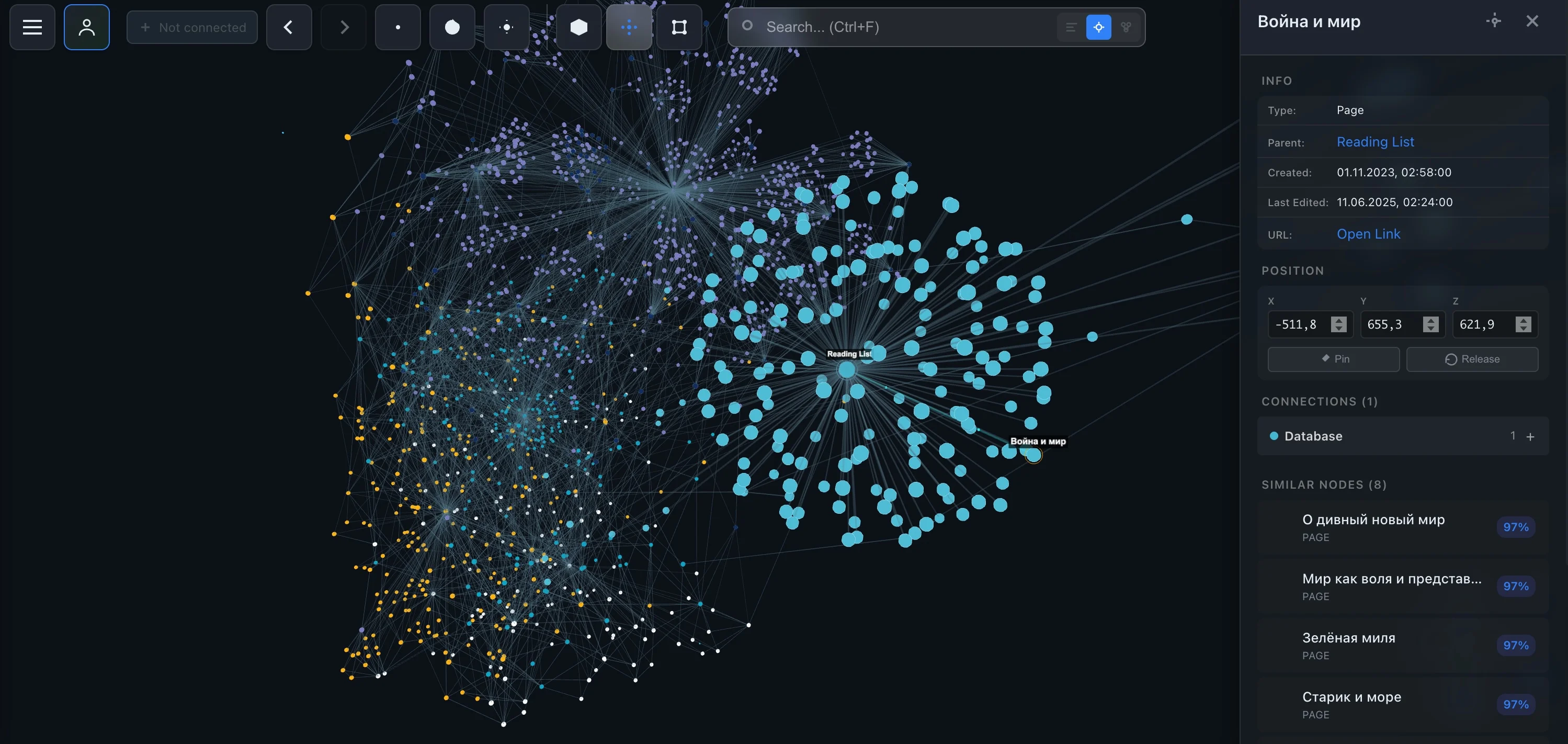
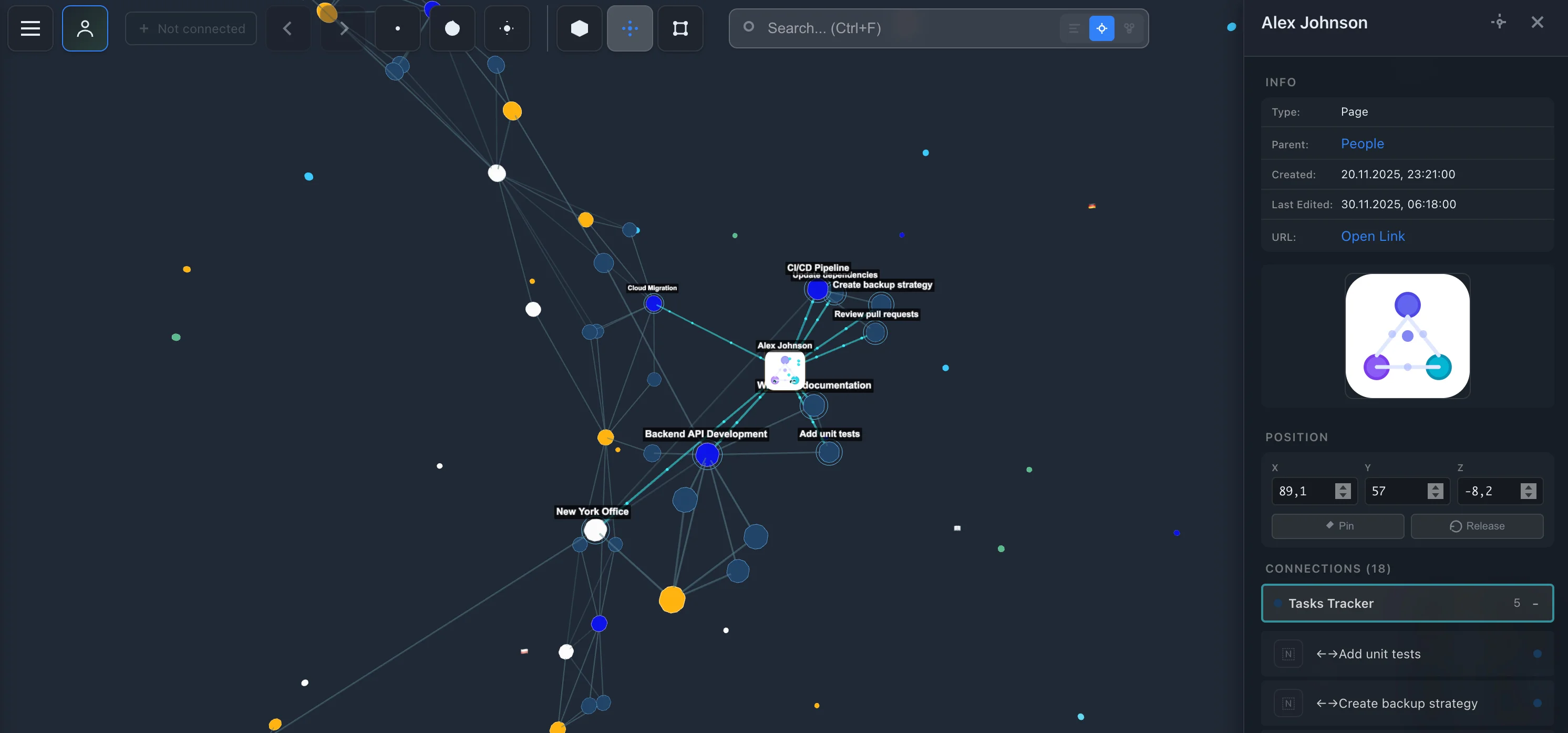
For seeing existing connections, IVGraph renders Notion pages, backlinks and mentions, and database relations as an interactive 3D graph. At the time of writing, it is free up to 500 nodes and uses read-only access via Notion sign-in.
The visualization helps you inspect the structure; it does not replace defining what your relations mean. For a workspace-oriented walkthrough, see the Notion knowledge graph guide.
How to build a small knowledge graph
Start with a question you actually want to answer. “Organize everything I know” is difficult to test. “Which readings inform this project?” gives you a concrete target.
- Choose a narrow scope. Use one reading list or project. Leave unrelated material outside the first version.
- Name the entity types. For this example, use Project, Reading and Topic. Create a distinct record or note for each actual entity.
- Define the relationships. Try
Reading → informs → ProjectandReading → discusses → Topic. Write a plain-English definition for each. - Add properties deliberately. Keep details such as reading status on the reading. Make a topic a separate entity when it should connect multiple readings.
- Resolve duplicate identities. Decide whether “Garden research” and “Gardening research project” refer to the same project. Avoid merging records just because their names look similar.
- Add connections with context. Record why a reading informs a project. Keep the passage or source supporting important claims.
- Test the original question. Start at the project, follow its connected readings, then inspect their topics. Can you explain every connection?
- Revise before expanding. Rename ambiguous relations, correct mistakes and add missing links. Extend the graph when another useful question requires it.
Before adding more material, use this short quality checklist:
- Does each node represent an identifiable thing?
- Can each relationship be read as a clear sentence?
- Are similar relationships named consistently?
- Can you find the evidence behind important assertions?
- Does following the connections answer your starting question?
The goal is not the largest diagram. It is a set of connections you can understand, trust and reuse.
FAQ
What is a knowledge graph in simple terms?
A knowledge graph is a way to represent things and the relationships between them. Things become nodes; relationships become named links. For example, Maya wrote Field Notes, and Field Notes discusses Urban Gardening.
What is the difference between a knowledge graph and a graph database?
A knowledge graph is the connected representation of knowledge, including what its entities and relationships mean. A graph database is storage technology designed to store and query connected data. The database can support the knowledge graph, but the two are not the same thing.
Is a mind map a knowledge graph?
A typical mind map organizes ideas into branches around a central topic. A knowledge graph emphasizes named relationships among entities that can connect across branches. A mind map can help you sketch a model, but a branching picture alone does not define the meaning of its connections.
Can I build a personal knowledge graph in Notion or Obsidian?
Yes. Notion pages form nodes connected through mentions, backlinks, database relations and parent-page relationships. Obsidian notes connect through wikilinks. Consistent entity names and clear relationship meanings make those linked notes more useful as a personal knowledge graph.
Do knowledge graphs require AI?
No. You can create entities and relationships manually. AI can help extract them from text, and a knowledge graph can provide structured context to an AI system, but neither is required to start a small graph.