 IVGraph
What Backlinks Are (and Why They Matter)
A link points forward; a backlink is the same connection seen from the other side. When page A mentions page B, page B quietly gains a backlink to A. That reverse direction is what makes a pile of notes start behaving like a network: standing on any page, you can see everything that references it — projects that use this concept, meetings that discussed this person, notes that cite this source.
In the second brain world, backlinks are the connective tissue. Tools like Obsidian and Roam made them famous; Notion has them too — just quieter about it.
How to Create Backlinks in Notion (3 Ways)
- @-mention — type
@followed by the page name anywhere in text, pick the page. This is the canonical way: every @-mention automatically creates a backlink on the mentioned page. [[shortcut — typing[[opens the same page picker; the result is the same inline mention with the same automatic backlink.- Paste as mention — paste a Notion page URL and choose Paste as mention from the menu. The raw URL becomes a clean inline link that behaves like an @-mention.
One nuance worth knowing: the Link to page block (/link) behaves differently — Notion treats it more like a sub-page reference that shows up in the sidebar, while @-mentions act like ordinary hyperlinks. If your goal is a visible backlink trail, @-mentions are the habit to build.
Where to Find a Page's Backlinks
- On a regular page: look for "N backlinks" near the title and click to expand the list. If a page has no backlinks, nothing is shown.
- On a database page: backlinks appear alongside the page's properties.
- Permissions apply. You only see backlinks from pages you can access. Links from other people's private pages stay invisible to you, and backlinks to your private pages show as Private for everyone else.
Backlinks vs Database Relations
Notion has a second kind of connection: relations — structured links between database entries ("this task belongs to this project"). Backlinks are freeform and automatic; relations are deliberate and typed (full walkthrough in Notion Relations and Rollups, Explained Visually). A healthy workspace uses both, and together they form the full edge set of your workspace: mentions, backlinks, relations, and parent-child nesting.
What Notion Backlinks Can't Do
- No workspace-wide view. Each backlink list lives on its own page. There is no place to see the link structure of everything at once.
- No orphan detection. Pages with zero inbound links — usually your forgotten notes — are exactly the ones the backlink UI never surfaces, because an empty list shows nothing.
- No hubs, no clusters. You can't ask "which pages are my most-referenced?" or "which topics grew into islands?"
- No visualization. As we covered in Does Notion Have a Graph View? — there's no built-in way to see backlinks as a network.
Seeing All Your Backlinks as a Graph
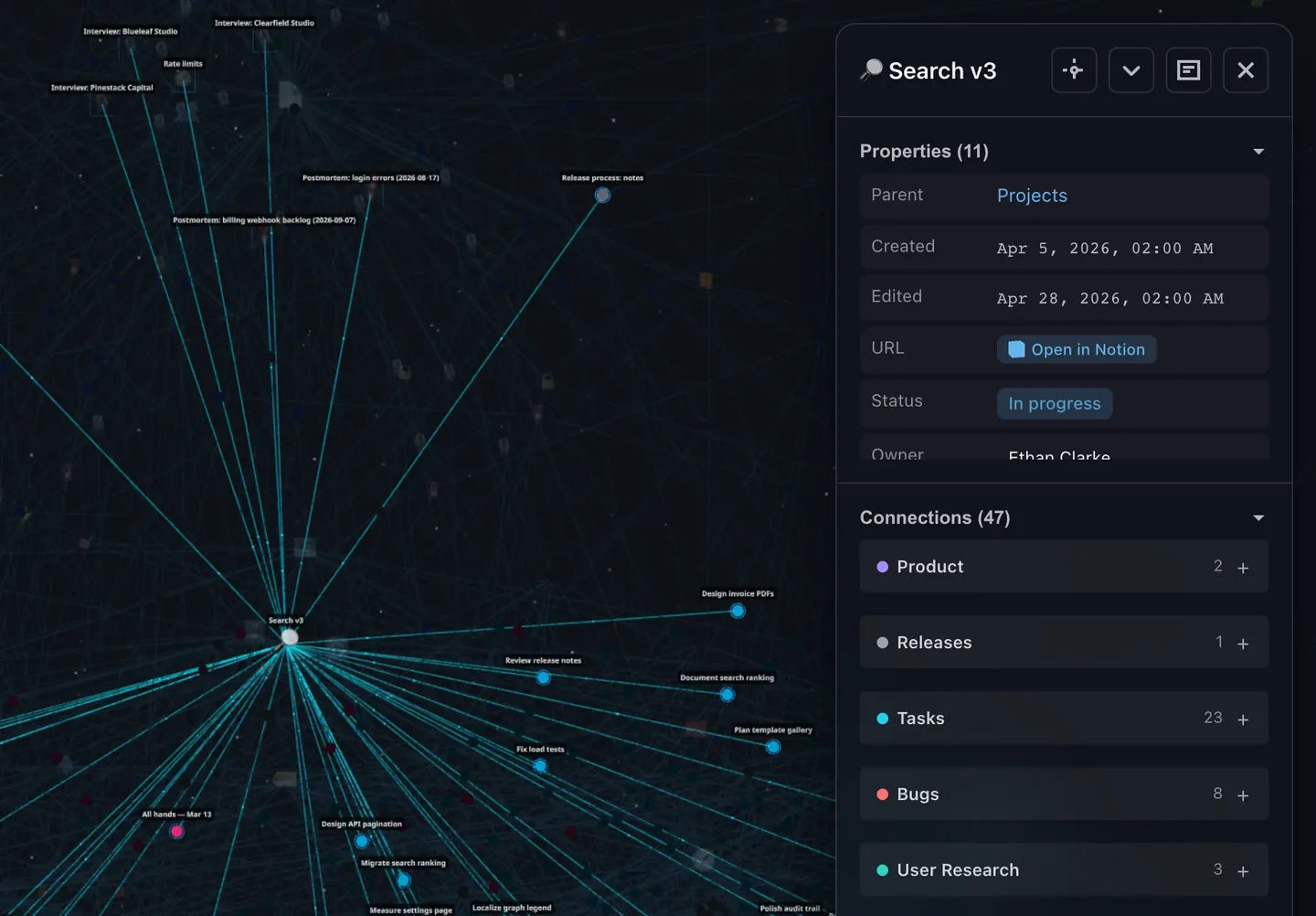
Everything backlinks record — who links to whom — is graph data. IVGraph reads your workspace through the official API and renders every backlink, mention, relation, and parent-child connection as edges in an interactive 3D graph. The page-by-page keyhole becomes a map: hubs stand out by size, clusters form visibly, and orphaned pages float alone where you can finally spot them.
FAQ
Does Notion have backlinks?
Yes — created automatically on every @-mention, listed under the target page's title. What's missing is any aggregate view across the workspace.
How do I show backlinks on a page?
They appear on their own when the page has any: click the "N backlinks" counter near the title. No setting needed — if you don't see it, the page simply has no visible backlinks (or they're on pages you can't access).
Why is a backlink I expect missing?
Almost always permissions: backlinks from private pages you can't access are hidden. Also check the link was made as an @-mention rather than a plain URL paste without "mention".
Can I visualize Notion backlinks?
Not with built-in tools. Connect your workspace to IVGraph and the full backlink structure renders as an interactive 3D graph — free up to 500 nodes.