 IVGraph
GraphRAG is retrieval-augmented generation that uses a knowledge graph of entities and relationships to find context for an LLM. It is worth testing when an answer depends on connected facts or patterns across a collection—not automatically when you just need the right paragraph. Vector RAG remains a sensible starting point, and combining the two is often the more useful design to explore.
The short answer: similarity finds passages; graphs connect facts
Vector retrieval asks: Which passages are similar in meaning to this question? Graph retrieval adds another question: What is connected to the things this question is about?
Imagine a project workspace. “How do we deploy the service?” might be answered by one runbook. “Which launch depends on the service owned by the team handling this incident?” requires following connections between an incident, a team, a service, and a launch.
That is the practical distinction in graph RAG vs vector RAG. It is not “smart retrieval versus dumb retrieval.” It is a choice about which structure helps you gather the necessary evidence.
RAG in one paragraph—and where vector search falls short
Retrieval-augmented generation retrieves relevant information and gives it to an LLM as context before the model answers. Classic vector RAG splits documents into chunks, embeds those chunks as numerical representations, and retrieves them by vector similarity to the question. The answering model then works from the selected text. Meilisearch's comparison describes the underlying distinction: similarity-based retrieval versus retrieval through connected entities.
For a question such as “What does our refund policy say about cancellations?”, finding the relevant policy passage may be enough. You do not need to model every customer, policy, and product as a node to test that workflow.
The limitations become more interesting when the required context is distributed:
- Multi-hop questions: the answer requires following several relationships, not locating one matching passage.
- Global questions: “What themes recur across our project retrospectives?” asks about the collection, not just the closest matches.
- Scattered facts: separate pages contain different pieces of the answer, and some pieces may not resemble the original question.
In the incident example, a launch page might never mention the incident. Retrieving passages that sound like the question is not the same operation as following a documented dependency to that launch.
This does not mean vector retrieval cannot supply the answer. It means you should test whether it retrieves all the necessary pieces, rather than judging it by whether the first result looks relevant.
How Microsoft GraphRAG works, step by step
Microsoft GraphRAG is an open-source graph-based RAG system. Its extraction, community, and summary pipeline provides a useful reference for understanding the approach. Separate the work into two stages: preparing the collection and answering questions against it.
Indexing: turn text into connected context
- Extract entities. An LLM identifies things discussed in the source material. In a hypothetical engineering collection, these might include services, teams, projects, and incidents.
- Extract relationships. The LLM identifies connections between those entities. For example, a document might say that a particular team owns a service.
- Build the graph. Entities become nodes and relationships become links, giving retrieval a connected representation of the material.
- Group entities into communities. The system organizes the graph into connected groups, rather than treating each entity in isolation.
- Write community summaries. Generated summaries provide an overview of those groups for subsequent retrieval and answering.
The important change is that the system prepares more than searchable passages. It also prepares a representation of what the passages discuss, how those things connect, and what connected groups contain.
Querying: local questions versus global questions
Local search is entity-centred. Think: “What is connected to the billing service?” The relevant context is organized around a particular entity and its relationships.
Global search addresses the whole dataset. Think: “What recurring coordination problems appear across these projects?” Community summaries provide material for a broader synthesis, rather than relying only on passages similar to the question.
Microsoft's GraphRAG documentation separates indexing, query methods, and prompt tuning. For an initial evaluation, the useful distinction is simple: are you investigating a particular thing, or asking for a view across the collection?
Do not confuse “local” with “runs on my laptop.” Here it describes the search scope. And do not assume every graph query needs community summaries: following explicit page relationships is a narrower graph-retrieval workflow.
Graph RAG vs vector RAG: practical comparison
The graph column below includes Microsoft's extraction-and-summary approach. A workflow built from existing links can skip extraction of those links, so its setup is not identical.
| Dimension | Vector RAG | Graph-based RAG |
|---|---|---|
| Data model | Text chunks represented by embeddings. | Entities or pages connected by relationships; Microsoft GraphRAG also creates community summaries. |
| Indexing work and cost | Prepare chunks and generate embeddings. | Prepare graph structure; budget for LLM extraction and summaries if the pipeline uses them. |
| Questions to test first | Questions answerable from a relevant passage or small set of passages. | Connected-fact questions; whole-dataset synthesis when community summaries are available. |
| Explainability | Inspect retrieved passages and their sources. | Inspect retrieved sources and relationship paths; a visible path still needs supporting evidence. |
| Freshness and maintenance | Plan how changed text gets reflected in chunks and embeddings. | Also plan how changes affect relationships and any generated summaries. |
| Typical tools or components | An embedding model, vector index, source store, and answering LLM. | A graph representation and retrieval logic; Microsoft GraphRAG is an open-source implementation to evaluate. |
| Failure to watch for | Relevant-looking results that omit a necessary fact. | Missing or misleading relationships, or summaries that omit necessary detail. |
My starting rule: if the evidence fits in a passage, test passage retrieval first. If the evidence is a chain, test retrieving the chain. If the question concerns the collection, test a collection-level approach.
When to use each—and when to combine them
Start with vector RAG for passage-shaped answers
Policies, instructions, and explanations are useful starting cases when the expected answer lives in identifiable text. Establish a baseline before introducing another representation of the same collection.
Ask whether a failure came from retrieval or from answering. If the correct evidence was already present, adding a graph may not address the actual problem.
Test graph retrieval for relationship-shaped answers
Use questions that genuinely depend on connections: which projects depend on a service, which decisions link to a requirement, or which research notes support an argument. These are proposed evaluation cases, not promises of better accuracy.
Check whether your data contains those relationships. A graph cannot follow a useful edge that neither your source structure nor your extraction process supplies.
Try a hybrid workflow before replacing everything
A practical design to test combines semantic entry points with graph expansion:
- Search for text or nodes relevant to the question.
- Follow selected relationships from those starting points.
- Fetch source content for the connected items.
- Give the answering model the evidence and its source references.
For the incident example, search could find the incident report. Graph traversal could then follow links to the affected service and dependent launch. Reading those pages supplies the actual evidence for the answer.
Set boundaries before testing: which relationship types are useful, how far should traversal go, and how much content should be returned? “Include everything connected” is not a retrieval strategy; it avoids making a selection.
What GraphRAG costs in practice
There is no defensible universal price—or fixed cost multiplier—without a corpus, model choice, and configuration. The useful budgeting question is: which work does this pipeline add?
For Microsoft's extraction-and-summary approach, include model work to extract entities and relationships and generate community summaries. These are additional preparation steps beyond a basic chunk-and-embed pipeline. Do not treat “open source” as a budget for running that work.
For a pilot, record costs separately:
- Initial preparation: embedding, extraction, and summary generation wherever your design uses them.
- Questions: retrieval work, context supplied to the LLM, and answer generation.
- Updates: work needed to reflect edited sources in the representations you maintain.
- Operations: storage, debugging, and reviewing incorrect or missing relationships.
Updates deserve their own test. Edit a source statement, rerun your chosen update workflow, and inspect the resulting answer. Check the original content, graph representation, and any summary that relied on the old statement. Do not assume one successful initial index proves the collection stays current.
If your edges already exist as explicit links, you can avoid LLM extraction for those edges. That does not remove content retrieval, answer generation, or maintenance. It removes a particular step—not every cost associated with graph-based RAG.
Your notes already contain graph structure
A linked workspace offers a different starting point from a folder of disconnected documents. Notion already contains explicit edges through database relations, page mentions and backlinks, and parent-child pages. Obsidian vaults have wikilinks. Those links can become graph edges without asking an LLM to discover them.
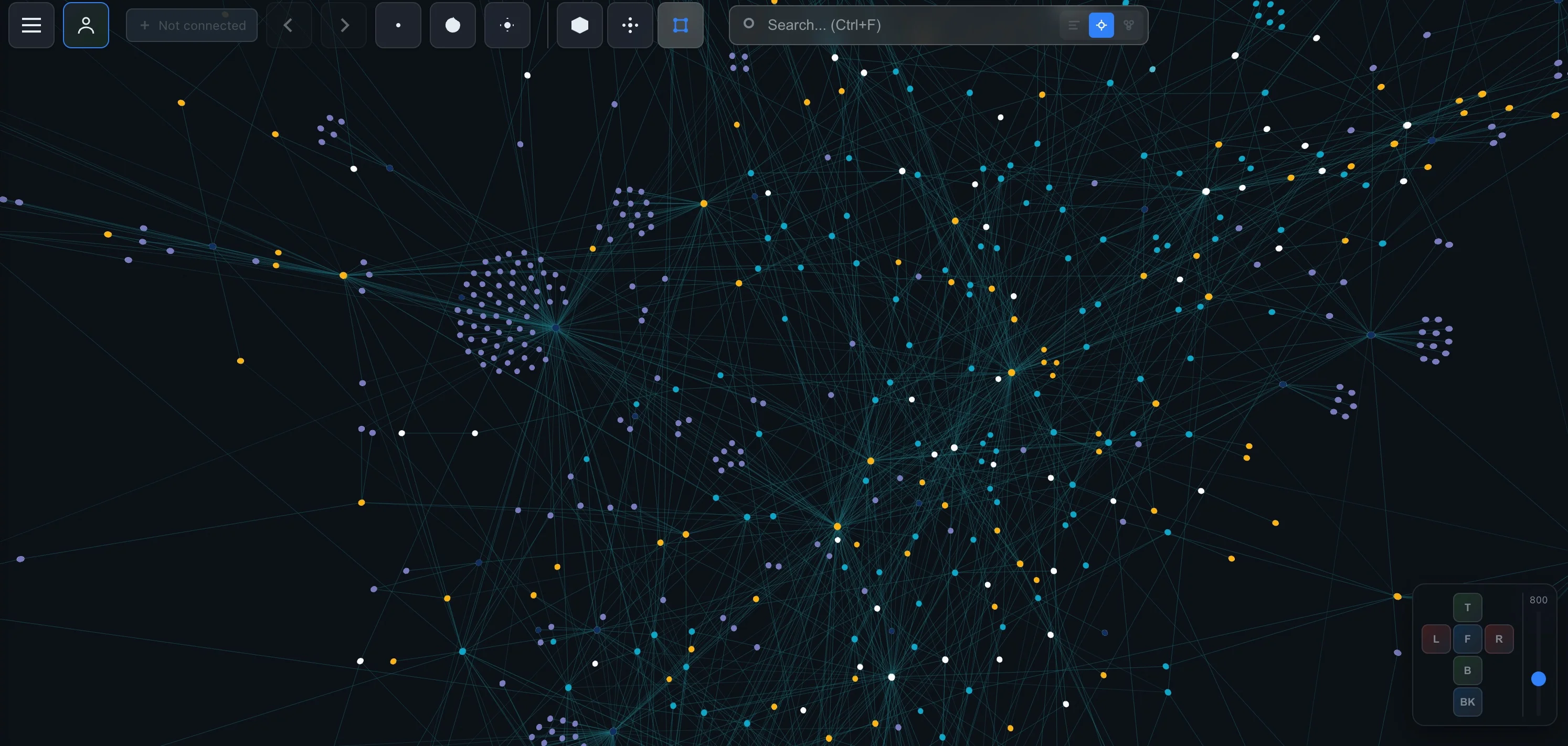
Suppose your hypothetical Projects database relates to a Services database, while incident notes mention service pages. You already have a route from an incident note to a service and then to related projects. Our guide to Notion database relations covers the explicit-link side; the broader Notion knowledge graph guide puts those links in context.
One honest caveat: a page graph is not automatically an entity knowledge graph. A page can discuss several entities. A mention tells you that one page references another, not necessarily that one service depends on another. A parent-child link expresses hierarchy, not ownership or causation.
Preserve that distinction in retrieval. Follow a mention to find potentially useful evidence, then read the page before asserting what the relationship means.
This connects naturally to an LLM wiki: think separately about the source pages, the links between them, and the generated interpretation. Keeping those layers distinct makes it easier to review an answer instead of treating every generated connection as an established fact.
Give agents access to structure and content
IVGraph builds a graph from Notion pages, backlinks and mentions, and database relations. Its read-only V1 LLM API gives agents search, node details, page content, and graph traversal. Together they are enough to build a graph-aware retrieval workflow on top of a workspace you already maintain.
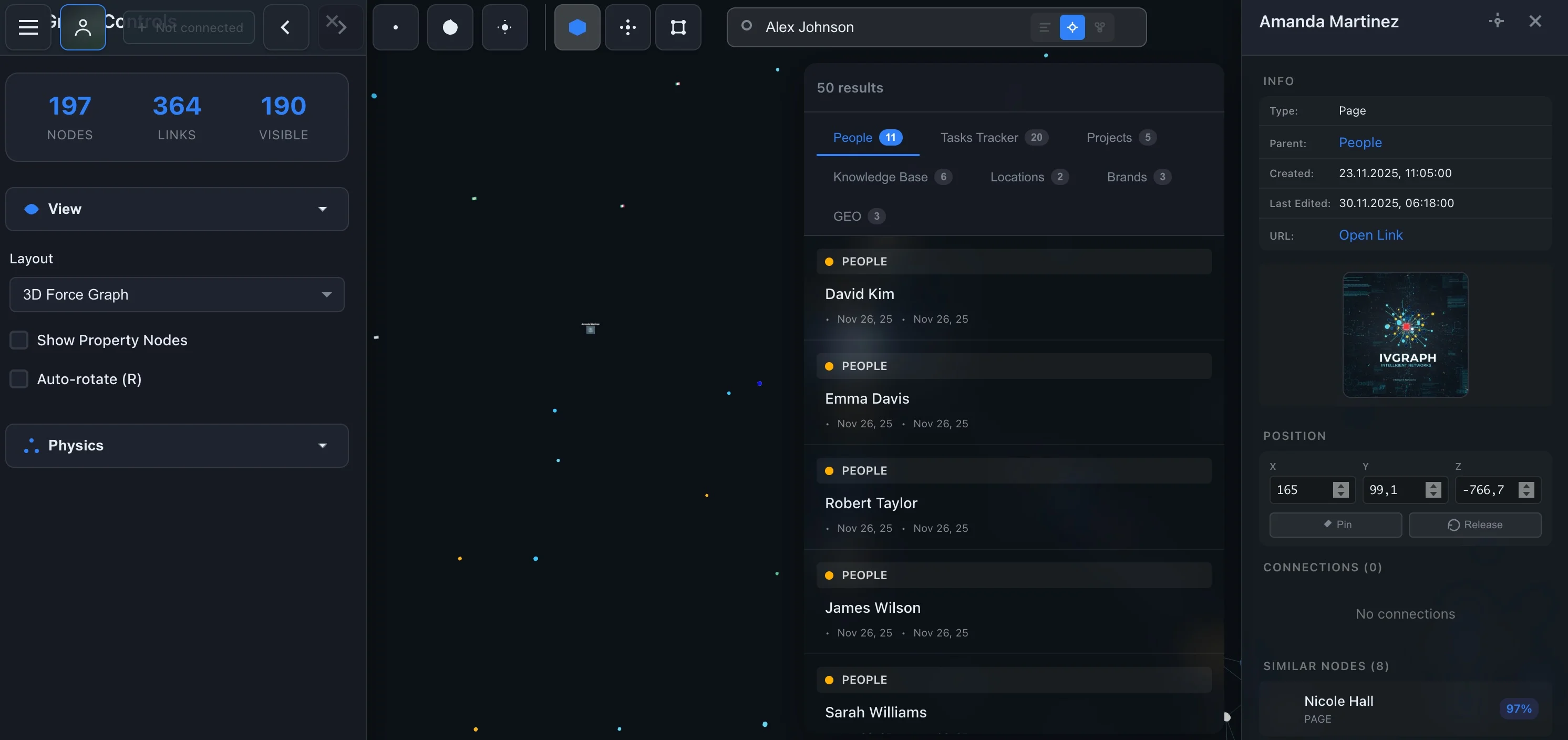
An agent workflow to test is straightforward: search for the project, inspect its node, follow relevant links, fetch connected page content, and answer from that evidence. For a broader personal workflow, see building a second brain with an LLM, Notion, and Claude Code.
Do not start by extracting relationships you already maintain explicitly. First test whether exposing those relationships fixes the missing-context problem.
How to start small
Start with questions, not a database migration. Use this checklist to keep the experiment tied to actual retrieval failures:
- Choose one bounded collection. Pick a project area whose content and relationships you can review yourself.
- Write real questions. Include direct lookups, connected-fact questions, and collection-wide questions if those matter to your work.
- Identify the required evidence. Note which passages and relationships a correct answer must use.
- Run a vector baseline. Save retrieved context as well as the generated answer. Identify missing evidence before changing the architecture.
- Inventory existing edges. Separate useful relations from incidental mentions and hierarchy links.
- Add only the missing capability. Test traversal for connected facts, or Microsoft's extraction-and-summary pipeline for the questions it is designed to address.
- Compare and update. Review evidence coverage, unsupported claims, cost, and response time. Then edit a source and check freshness.
Keep the graph layer if it retrieves necessary context the baseline misses at a cost you can support. If both approaches answer equally well, prefer the one you can maintain more easily.
FAQ
What is GraphRAG in simple terms?
GraphRAG is retrieval-augmented generation that uses a knowledge graph of entities and relationships to find context for an LLM. Instead of finding only similar passages, it can retrieve information through connections between things.
Is GraphRAG better than vector RAG?
Not for every question. Vector RAG is a sensible starting point for finding relevant passages. Graph retrieval is worth testing when answers require connected facts, while Microsoft's community-summary approach also supports whole-dataset questions. Compare them on your own questions and sources.
Is Microsoft GraphRAG the same as all graph-based RAG?
No. Microsoft GraphRAG is an open-source implementation that extracts entities and relationships, groups them into communities, produces summaries, and offers local and global search. Graph-based retrieval can also use existing relationships without that full extraction-and-summary pipeline.
How much does GraphRAG cost?
There is no single useful price without a corpus, model choice, and pipeline configuration. Budget for extraction and summary generation where used, retrieval and answer generation, storage, and updates. Measure a small representative sample rather than assuming a fixed multiplier over vector RAG.
Can I use Notion links for GraphRAG?
Yes. Database relations, mentions and backlinks, and parent-child pages can supply explicit graph edges without LLM extraction. You still need a retrieval workflow that selects relevant pages, reads their content, and gives evidence to the answering model. A page link alone does not explain the relationship.