 IVGraph
What Is Notion MCP?
MCP (Model Context Protocol) is an open standard that lets AI apps use outside tools and data. Notion MCP is Notion's own MCP server, hosted by Notion at https://mcp.notion.com/mcp. It sits between your AI app and your workspace and turns Notion into a set of tools: search, fetch a page, create and edit pages, query databases, comment. The app calls those tools instead of working out the raw API on its own.
You sign in once with OAuth, the app discovers the tools automatically, and it can act on anything your account can access in that workspace. Pages come back as Notion-flavored Markdown; Notion's engineering team chose Markdown because it fits more content into each model token than the API's block JSON. Notion's docs name Claude Code, Cursor and Codex as example clients, and any app that works as an MCP client can connect.
One naming trap: this page is about AI apps reaching into Notion. The opposite direction, where Notion's own Custom Agents call other apps' MCP servers, is a separate feature called MCP connections for Custom Agents, available on Business and Enterprise only.
notion-get-tool-access to see what your workspace has today.Is Notion MCP Free?
To connect, yes. Notion's developer docs say Notion MCP works on every plan, and Notion's pricing page lists no separate charge for it, so a Free workspace can connect. What your plan changes is which tools you get and how hard you can use them:
| Free and Plus | Business and Enterprise | |
|---|---|---|
| Connect with OAuth; search, read, create and edit pages | Yes | Yes |
| Search Notion | Up to 50 results, basic filters | Also filters by editor, last-edited date, title only and several teamspaces, and sorting by date |
| Search connected apps (Slack, Google Drive, GitHub, Jira) | No | Yes, with Notion AI |
| Read a saved database view | Yes | Yes |
| SQL over databases | Limited allowance, one data source at a time | Unlimited with Notion AI, up to 100 data sources in one query |
| Request limit per connection | 180 per minute | 600 per minute |
| MCP tokens (no browser sign-in) | No | Yes, created by workspace owners |
| Edit, delete, resolve or react to comments | No | Yes |
| Query meeting notes | No | Yes, with Notion AI |
| Allowlist of AI apps for the workspace | No | Enterprise only |
A tool your plan doesn't include doesn't break the session. Unsupported search filters are dropped with a notice, and paid-only tools answer with an upgrade prompt instead of an error you have to debug.
Two catches sit outside this table. The AI app on the other end has its own plans: Codex, Cursor, ChatGPT and Claude each decide which of their plans can use MCP. And a Free workspace shared with other members has Notion's lifetime limit of 1,000 blocks: pages an agent creates count toward it, and Notion's docs say MCP enforces the limit under its own policy. If you came here from a "Notion API pricing" search: the REST API has the same split, 180 requests per minute per connection on most plans and 600 on Business and Enterprise, plus a shared limit for the whole workspace.
Hosted vs Self-Hosted (Open-Source) Server
There are two official servers, and Notion recommends the hosted one for most users:
| Hosted Notion MCP | Open-source notion-mcp-server | |
|---|---|---|
| Address | https://mcp.notion.com/mcp | npm package @notionhq/notion-mcp-server |
| Sign-in | OAuth, or an MCP token on Business and Enterprise | Integration token in your config |
| Where it runs | Notion's infrastructure | Your machine (npx or Docker) |
| Access | Everything your account can access | Only pages shared with the integration; can be read-only |
| Tools | Notion's current toolset, updated by Notion, Notion-flavored Markdown | 22 tools mapped to API endpoints, incl. Markdown read and update |
| Status | Recommended by Notion | No longer actively maintained; may be sunset |
Use the hosted server unless you need one of the cases Notion lists for self-hosting: bearer-token sign-in for fully automated jobs, reusing a Notion integration you already have, the original JSON-based API, or running everything on your own infrastructure. On Business and Enterprise, MCP tokens now cover the first case with the hosted server. The README of the notion-mcp-server repository on GitHub says the project is no longer maintained or supported and may be sunset; its last release, v2.1.0, came out on January 31, 2026.
Setup: Codex, Cursor, VS Code, ChatGPT, Claude and Other Apps
Every app below uses the same server. The URLs:
https://mcp.notion.com/mcp— Streamable HTTP, the recommended option.https://mcp.notion.com/sse— SSE fallback, only for clients without Streamable HTTP support.npx -y mcp-remote https://mcp.notion.com/mcp— a bridge for clients that can only start local (stdio) servers.
Codex
Add the server to ~/.codex/config.toml:
[mcp_servers.notion]
url = "https://mcp.notion.com/mcp"
Then sign in with codex mcp login notion. To share the setup with a team, put the same block in a project-level .codex/config.toml.
Cursor
Create .cursor/mcp.json in the project root, or ~/.cursor/mcp.json for all projects:
{
  "mcpServers": {
    "notion": {
      "url": "https://mcp.notion.com/mcp"
    }
  }
}
Open Customize in Cursor's sidebar, enable Notion and complete the OAuth sign-in.
VS Code (GitHub Copilot)
Create .vscode/mcp.json:
{
  "servers": {
    "notion": {
      "type": "http",
      "url": "https://mcp.notion.com/mcp"
    }
  }
}
Run MCP: List Servers from the Command Palette, start Notion and complete OAuth. For every workspace at once, use MCP: Open User Configuration instead.
ChatGPT
Notion's help center names ChatGPT Pro among the apps that work with Notion MCP. You add Notion from ChatGPT's own settings, and which ChatGPT plans allow that is up to OpenAI. In ChatGPT the search and fetch tools appear as search and fetch, without the notion- prefix, because OpenAI uses those names for its own company-knowledge and deep-research features.
Claude and Claude Code
In the Claude app on the web, desktop or mobile, open Customize → Connectors and add Notion from the directory; the listing is made by Notion and verified by Anthropic. In Claude Code, run one command, then /mcp to sign in:
claude mcp add --transport http notion https://mcp.notion.com/mcpEverything else about Claude, from Notion's plugin for Claude Code to Cowork, skills, Claude agents inside Notion and the workflows we run, is in Claude + Notion.
Devin, Antigravity and other agents
Notion's setup page also covers Devin, Google Antigravity, fx, Hermes and Pi. Two notes from it. In Antigravity, add Notion as a custom server (serverUrl in mcp_config.json) rather than the gallery's Notion entry, which runs the deprecated open-source package. In Devin, an Organization connection is shared by everyone, so Notion suggests authorizing it with a Notion service account rather than a personal one.
Any other app that acts as an MCP client can connect with the URL above. Apps without MCP support can't use Notion MCP at all, which is the most common reason a setup "doesn't work".
Self-hosted variant
Create an internal connection, which older guides call an internal integration (step by step in our Notion API key guide), give it access to the pages you want exposed (for read-only access, enable only the "Read content" capability), then run the server with your token:
{
  "mcpServers": {
    "notionApi": {
      "command": "npx",
      "args": ["-y", "@notionhq/notion-mcp-server"],
      "env": { "NOTION_TOKEN": "ntn_****" }
    }
  }
}
A Docker image is also available: docker run --rm -i -e NOTION_TOKEN mcp/notion. Remember that this server is no longer actively maintained.
Notion MCP vs the Notion API
Both reach the same workspace. The difference is who is driving: an AI app working with you, or code you wrote.
| Notion MCP | Notion API | |
|---|---|---|
| Who calls it | An AI app on your behalf | Your own scripts or product |
| Sign-in | OAuth as you, or an MCP token (Business and Enterprise) | A personal access token, an internal connection token or OAuth |
| What it can reach | Everything you can access | With a personal access token, everything you can access; with a connection, only pages shared with it |
| Content format | Notion-flavored Markdown | Block JSON; newer API versions add Markdown endpoints for pages |
| Setup | Paste a URL or run one command | Write, host and maintain code |
| Request limits | Shared: every MCP tool call counts toward the standard API limits | |
A simple rule: if a person is asking an AI to do something in Notion (summarize this project, file these notes, fix these properties), use MCP. If the same job should run unattended the same way every time (a nightly sync, a bulk import, an app built on top of Notion), use the API. Large files also belong to the API: single-part MCP uploads stop at 20 MiB, and Notion points to its file upload API for anything bigger. Notion's engineering blog presents the two as complementary: "we see these technologies working together".
What Agents Can Actually Do
- Search your workspace, up to 50 results per search. On Business or Enterprise with Notion AI, a separate tool searches connected apps such as Slack, Google Drive, GitHub and Jira.
- Read a page, database, data source or saved view as Markdown, and list your Private, Shared, Favorites and recently viewed pages.
- Create and edit pages: properties, content, icon, cover; duplicate and move pages; create folders; move pages and databases to Trash and restore them.
- Work with databases: create databases and views (table, board, calendar, timeline, chart, map, dashboard and more), change properties, read rows (50 by default, up to 100 per call), run a saved view or SQL.
- Comments: add and read comments and discussions.
- Files: upload local files, attach a file from a public link, get download links for files on a page.
- Backlinks: list the pages that link to or mention a given page (how they work: Notion backlinks).
- Calendar: list, create, update and cancel events in calendars connected to Notion Calendar.
- Skills and agents: read and update Notion Skills (pages with instructions for a repeatable workflow), search the memories your agents saved, and start or follow Custom Agent sessions if your plan includes Notion AI and Custom Agents.
Call notion-get-tool-access to see which of these your workspace's plan allows.
In practice that covers the whole loop of an LLM wiki: the agent ingests sources, writes summaries back into Notion, cross-links pages, and answers questions from what it already built. We run this setup daily; the full build story with honest limitations is in LLM Wiki for Notion.
Limits Worth Knowing
- Request limits. Notion MCP uses the standard API limits, and every tool call counts: 180 requests per minute per connection on most plans, 600 on Business and Enterprise, plus a limit shared by the whole workspace. If the wait is 2 seconds or less, the server retries once; otherwise the agent gets a
rate_limitederror, with a retry time when Notion knows it. - Result sizes. Search returns up to 50 items; reading database rows returns at most 100 per call; one SQL query can join up to 100 data sources.
- Files. Single-part uploads up to 20 MiB. Downloads from a link are capped at 5 MiB on free workspaces and 50 MiB on paid ones.
- Deletes. Up to 20 items per Trash call, and each call has to carry the user's confirmation. Locked pages and databases can't be trashed, and top-level private pages can't be restored through MCP yet; restore them from Trash in Notion.
- Who can connect. Only workspace members. Guests can't connect Notion MCP.
- Shared Free workspaces. A Free workspace with more than one member is capped at 1,000 blocks for its lifetime, and pages an agent creates count too.
Security and Permissions
- Your permissions are the ceiling. An app connected through Notion MCP can access exactly what your account can, and it cannot bypass page-level permissions.
- The floor is up to you. A personal OAuth connection acts with your full access, including moving pages to Trash. Notion's docs don't describe a read-only switch for a personal connection, but your AI app may have one: Claude, for example, lets you set each connector tool to Always allow, Needs approval or Blocked. Workspace-owned connections expose only the tools an admin selects. If you need a hard read-only setup, the open-source server with a "Read content"-only integration is the fallback.
- Treat content as untrusted. A page, a comment or a Slack thread found through connected search can contain instructions aimed at the agent. Notion's security guide calls this prompt injection and advises reviewing proposed actions and turning on confirmation before anything that changes content.
- Enterprise controls. Admins can allow only approved AI apps (Settings → Connections → Permissions, then set "Restrict AI apps members can connect" to "Only from approved list"), let Okta manage connections, and disconnect all users at once; organization owners can list or revoke members' connections through the Admin API. Notion's help center notes that per-user usage visibility isn't available yet.
- Data flows to the model. Whatever the agent reads becomes part of its context, including items from connected apps, so treat the AI app's own data policy as part of your security surface.
The Missing Map: What MCP Doesn't Give You
MCP gives an agent hands. It answers page by page: a search returns up to 50 results, backlinks come one page at a time. There is no call that returns the shape of the workspace: which pages are hubs, which clusters exist, where the orphans are. That's a graph question, not a retrieval one.
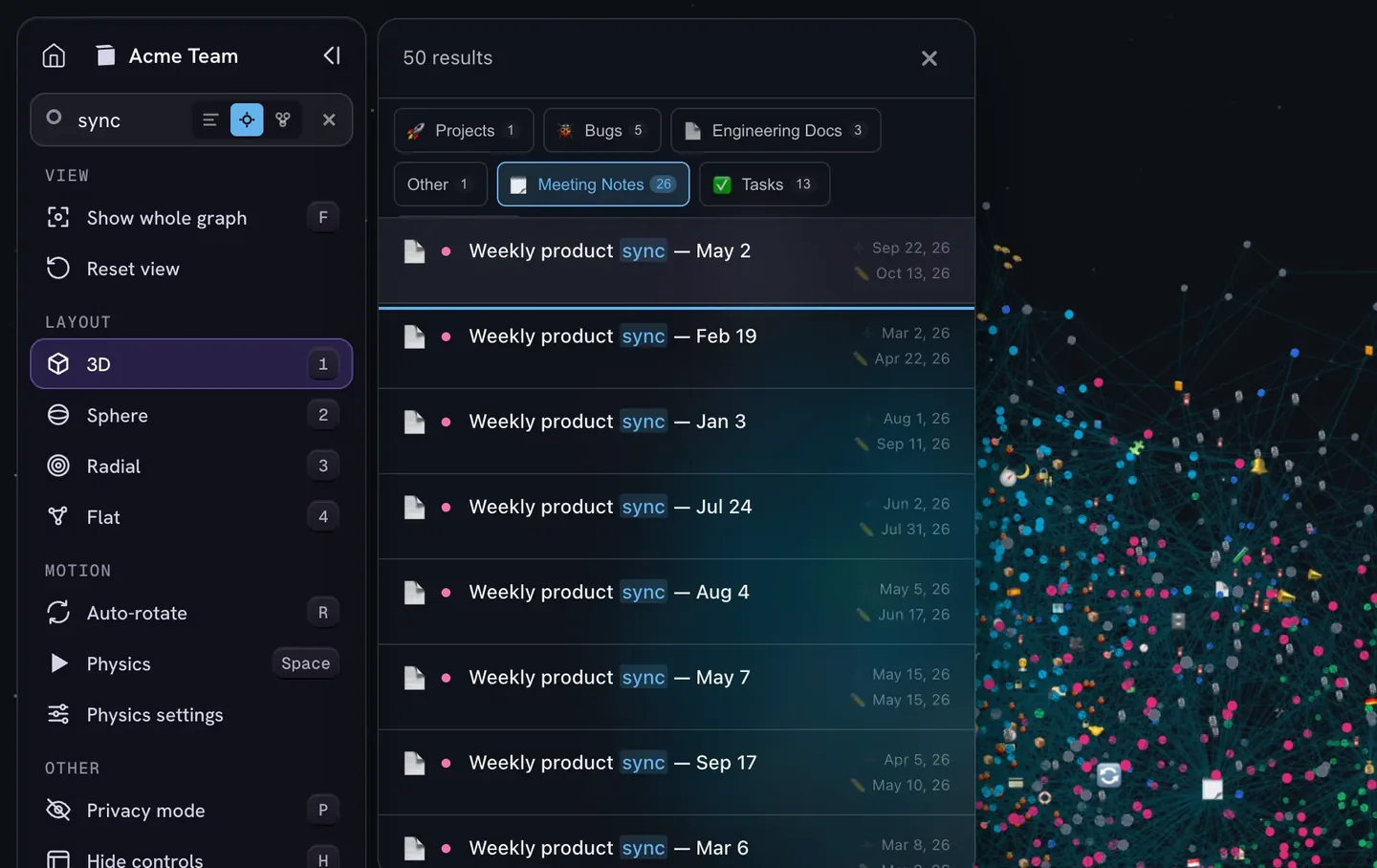
This is the layer IVGraph adds on top of a Notion + MCP setup: the workspace rendered as an interactive 3D knowledge graph for you, and the same structure available to agents through the IVGraph LLM API: search, node neighborhoods and shortest paths between pages. IVGraph has no MCP server of its own; agents use the API with a read-only key on the Pro and Max plans. The agent edits through Notion MCP; the graph shows both of you what the workspace looks like. More guides on agents and MCP are collected under AI agents.
FAQ
What is the Notion MCP server URL?
https://mcp.notion.com/mcp (Streamable HTTP). Use https://mcp.notion.com/sse only if your client doesn't support Streamable HTTP, and the mcp-remote bridge if it can only start local servers. In Codex, add [mcp_servers.notion] with that URL to ~/.codex/config.toml, then run: codex mcp login notion. In Claude Code, run: claude mcp add --transport http notion https://mcp.notion.com/mcp.
Is Notion MCP free?
Yes, to connect. Notion's developer docs say Notion MCP works on every plan, Free included, and Notion's pricing page lists no separate charge for it. The plan changes the features: search across connected apps, unlimited SQL over databases and meeting-notes queries need Business or Enterprise with Notion AI, and the request limit is 600 per minute per connection on Business and Enterprise versus 180 on other plans. The AI app you connect has its own pricing.
Do I need a Notion API key or integration token for Notion MCP?
No. The hosted server signs you in with OAuth. On Business and Enterprise, workspace owners can also create MCP tokens in Notion's Developer portal for clients that connect without a browser sign-in. Integration tokens are only needed for the open-source notion-mcp-server, which Notion no longer maintains, or for your own code that calls the Notion API.
Can an AI agent delete my Notion pages through MCP?
It can move pages and databases to Trash, up to 20 per call, if your account can, but it cannot bypass your Notion permissions. Each delete call has to carry your confirmation, and apps that honor tool annotations ask you first. Trashed items can be restored, locked pages can't be trashed, and guests can't connect at all. Connect only workspaces you're comfortable letting an agent edit; Enterprise admins can limit which AI apps are allowed to connect.