 IVGraph

The best Obsidian alternative depends on why you want to leave. If the reason is the $4 a month for Sync, you may not need another app at all: a vault is a folder of Markdown files, and Obsidian documents free ways to sync it. If you want open-source code, typed objects, live co-editing or a whiteboard, the eleven apps like Obsidian below cover those needs. For each one we checked where your notes live, whether backlinks and a graph view survive the move, and what you give up.
Start from your reason:
- Sync costs too much: stay in Obsidian and sync through iCloud, Syncthing or Git.
- You want open-source code: Logseq, SiYuan, Trilium, Zettlr or Joplin.
- You want objects and databases: Anytype, Capacities, Tana Outliner or Notion.
- You edit together in real time: Notion, AFFiNE or Heptabase.
- You think on a canvas: Heptabase or AFFiNE.
- You can’t give up the graph view: Logseq, SiYuan, Trilium, Zettlr, Anytype or Capacities.
Why people leave Obsidian (and what to keep)
Obsidian is free for any use, including work, and keeps your notes as Markdown files on your device. Here are six common reasons to look elsewhere; each points to a different answer.
- Paying for Sync and Publish. Sync costs $4 per user a month billed yearly, or $5 monthly. Publish costs $8 per site a month billed yearly, or $10 monthly. If all you need is your notes on a phone, that’s $48 a year for one feature.
- No live co-editing. A shared vault needs a Sync subscription for every member and holds up to 20 people. Obsidian’s help says it doesn’t yet support live editing of the same file: you don’t see each other’s cursors, and changes merge when they sync.
- Plugins to maintain. Popular features such as Dataview queries, Templater and Excalidraw come from community plugins. Obsidian’s plugin security page says it can’t restrict a plugin’s permissions: a plugin can read your files, connect to the internet and install programs.
- Files, not objects. A note is a Markdown file, and types like Person or Book are conventions you build from folders, properties and templates. The Bases core plugin now adds table and card views over properties, but some people want types at the center of the app.
- Free sync to an iPhone. For iPhone and iPad, Obsidian recommends Sync or iCloud. Dropbox, Google Drive, OneDrive and Syncthing aren’t officially supported there, and iCloud Drive on Windows can duplicate or corrupt files.
- Closed source. Obsidian is free but not open source. A request to open the code has been running on Obsidian’s forum since June 2020.
Before you compare apps, decide what has to survive the move. For most Obsidian users that’s three things: notes as plain files you can open anywhere, [[links]] with backlinks, and a graph that shows how notes connect. Few alternatives keep all three, so the table below has a column for each. If you’re still working out what your notes are for, our second brain guide covers the method before the app.
Obsidian alternatives at a glance
| App | Where notes live | Backlinks | Graph view | Canvas | Open source | Editing together | Price from |
|---|---|---|---|---|---|---|---|
| Obsidian (for comparison) | Markdown files in your folder | Yes | Built in | Yes | No | Shared vaults via Sync, no live co-editing | Free; Sync $4 |
| Logseq | Markdown files (Logseq OG) or a local database (Logseq 2.0, beta) | Yes | Built in | OG only | Yes, AGPL | Real-time sync in alpha (2.0) | Free; sync from $5 |
| SiYuan | JSON files in a local workspace | Yes, down to blocks | Built in | No | Yes, AGPL | No | Free; sync $64 once |
| Trilium | A local SQLite database | Yes | Note map | Yes | Yes, AGPL | No, single user | Free |
| Zettlr | Markdown files in your folders | Related files panel | Built in | No | Yes, GPL | No | Free |
| Joplin | A local SQLite database, notes in Markdown | Plugin | Plugin | No | Yes, AGPL | Shared notebooks in Joplin Cloud | Free; cloud €2.40 |
| Anytype | Encrypted objects on your devices | Yes | Built in | No (drawing block paused) | Source available | Shared channels | Free; Plus $4 |
| Capacities | Capacities’ cloud, cached for offline use | Yes | Desktop and web | Pro plan | No | No, read-only sharing | Free; Pro $9.99 |
| Tana Outliner | Tana’s cloud; offline in the desktop app | Yes | No | No | No | Shared workspaces | Free; Plus $8 |
| Notion | Notion’s cloud; offline for pages you download | Yes | No | No | No | Real-time | Free; Plus $10 per member |
| Heptabase | Heptabase’s cloud, available offline | Yes | No | Yes | No | Real-time | $8.99, after a 7-day trial |
| AFFiNE | Local workspaces, optional cloud | Yes | No | Yes | Editor MIT, server source-available | Real-time | Free; Pro $6.75 |
Two patterns stand out. Only Zettlr and Logseq OG keep your notes as plain Markdown files in your own folders; the other apps use a database or their own format, and most of them export Markdown. And the three apps built for working together, Notion, AFFiNE and Heptabase, have no graph view.
Open source, local files
These five apps publish their code under open-source licenses and keep your notes on your device. Only two of them, Zettlr and Logseq OG, work directly with a folder of Markdown files. If you also want to host sync yourself, Trilium and Logseq’s database version can sync through your own server.
Logseq: an outliner, now in two versions
Logseq is an open-source outliner: every line is a block, daily journals are built in, and [[links]] collect in a Linked References section at the bottom of each page. In April 2026 the team split it in two. Logseq OG keeps file-based graphs and gets security and framework updates, but no new features. The new Logseq stores each graph in a local database and is in beta: version 2.0.2 shipped on October 7, 2026, and its README warns that data loss is possible.
- Links and graph: page links, block references and backlinks. The built-in graph view connects pages, not blocks.
- Your files: Logseq OG reads and writes Markdown or Org files in a folder. Logseq 2.0 keeps a SQLite database and exports standard Markdown without block properties.
- Price: free. Sync for database graphs is a paid feature for Open Collective backers ($5 a month) and sponsors ($15), or you can host the sync server yourself.
- Best for: people who think in bullet points and daily notes.
- You lose: long-form pages that aren’t outlines, Obsidian’s plugins and, in Logseq 2.0, whiteboards, which the database version removed.
- Moving: point Logseq OG at a copy of your vault. According to a Logseq team guide, it finds Markdown files in subfolders and adds journals, pages and assets folders. Logseq 2.0 can convert that graph into a database graph.
SiYuan: block references and databases
SiYuan describes itself as a privacy-first personal knowledge management system. Every paragraph, heading and list item is a block with an ID you can link to, embed or query with SQL. It runs on desktop and on Android, iOS and HarmonyOS, under the AGPL-3.0 license.
- Links and graph: block-level references and backlinks, a global graph and a graph focused on one document or block. Databases support relations and rollups.
- Your files: a local workspace where each document is a
.syfile in JSON. It exports standard Markdown. - Price: free for local use. Sync costs $64 once if you bring your own S3 or WebDAV storage; an official cloud plan with 8 GB is sold separately.
- Best for: people who want databases and block references in a local, open-source app.
- You lose: plain
.mdfiles, and syncing through any folder service: SiYuan’s README warns that third-party sync disks can corrupt data. - Moving: since version 3.7.3, SiYuan imports Obsidian vaults when you create a notebook, converting internal links, embeds, block references, footnotes and comments.
Trilium: a tree of notes you can script
Trilium Notes keeps notes in a tree where one note can sit in several places. It adds scripting, a REST API and note types from code and spreadsheets to canvas drawings and mind maps. Its original developer handed the project to the TriliumNext community, which now develops it at triliumnotes.org; the current version is 0.106.1.
- Links and graph: internal links with a backlinks list, a note map of the links around a note, and relation maps you draw yourself.
- Your files: one SQLite database. Trilium says it chose a database for speed and for features such as one note in several places. It exports Markdown, HTML and OPML.
- Price: free under AGPL-3.0, with no paid tiers. Sync runs through a server you host yourself or rent from a third-party host.
- Best for: one person with a large, structured knowledge base.
- You lose: an official mobile app and shared editing. Phones get a mobile web interface from your server, and Trilium is designed for a single user.
- Moving: Trilium has a dedicated Obsidian importer for a ZIP of your vault. Folders, links, callouts, properties and Excalidraw drawings come across. Bases and canvases are skipped, and links to missing or same-named notes become plain text.
Zettlr: Markdown for long writing
Zettlr is a free Markdown editor for academic and long-form writing, licensed under GPL-3.0. It connects to your reference manager for citations and exports to publication templates. It also supports Zettelkasten-style links between notes.
- Links and graph:
[[links]]by file name or ID. A Related Files panel lists inbound and outbound links and shared tags, and a graph view sits in the statistics window. - Your files: plain Markdown files in your own folders, with no forced cloud sync or telemetry.
- Price: free, supported by donations.
- Best for: researchers and writers who turn notes into papers or books.
- You lose: mobile apps (Zettlr runs on Windows, macOS and Linux), Canvas and Obsidian’s plugins.
- Moving: choose Open Workspace and select your vault. Zettlr’s migration guide says both apps read the same wikilink syntax, but Zettlr doesn’t display images embedded with
![[…]], so switch Obsidian to standard image links first.
Joplin: notebooks with encrypted sync
Joplin organizes notes in notebooks and tags, with a web clipper and end-to-end encrypted sync on Windows, macOS, Linux, Android and iOS. It is licensed under AGPL-3.0.
- Links and graph: notes can link to each other, but backlinks and graph views come from community plugins such as Link Graph UI.
- Your files: notes are written in Markdown and stored in a local SQLite database.
- Price: free with Nextcloud, Dropbox or OneDrive. Joplin Cloud starts at €2.99 a month, or €2.40 billed yearly; sharing your own notebooks needs the Pro plan, €5.99 a month or €4.79 billed yearly.
- Best for: people who want a simple, private notebook app more than linked thinking.
- You lose: built-in backlinks, a graph view and Canvas.
- Moving: File → Import → MD - Markdown (directory) keeps your folder structure as notebooks. Joplin’s import guide covers plain Markdown and doesn’t mention wikilinks, so test a few linked notes first.
Leaving Logseq too?
If you’re looking for a Logseq alternative, start with where Logseq stands: Logseq OG still works with Markdown files but won’t get new features, and the database version is in beta. Obsidian’s official Importer converts file-based Logseq graphs, including block references, and can flatten outlines into paragraphs; database graphs aren’t supported yet. If you want to stay in an outliner, Tana Outliner imports Logseq’s JSON or OPML export, and SiYuan has block references of its own. Heptabase imports journals and pages, but not block references.
Objects, databases and structure
These apps treat a note as an object with a type and properties, such as a book, a person or a meeting, rather than a file in a folder. None of them keeps your notes as Markdown files, and all but Anytype run in the cloud.
Anytype: private objects, offline first
Anytype is a local-first workspace of typed objects, encrypted on your device and synced peer-to-peer on local networks or through Anytype’s network. Its code is public under the Any Source Available License, which limits commercial use, so it is source-available rather than open source.
- Links and graph: backlinks and a built-in graph where editor links, properties that point to other objects and backlinks all draw lines.
- Your files: objects inside the app. You can export Markdown, PDF or HTML.
- Price: free with 100 MB of remote storage and 10 shared channels; Plus is $4 a month.
- Best for: people who want structure and privacy without depending on a cloud service.
- You lose: Markdown files on disk and Obsidian’s plugins.
- Moving: Anytype’s Obsidian importer turns
[[links]]into links between objects, tags into a Tag property and frontmatter into properties. Convert![[embeds]]into plain links and remove Dataview or Templater syntax first.
We compare Anytype with Notion, and with Obsidian, in detail in Anytype vs Notion.
Capacities: a studio of typed objects
Capacities is a hosted app built around object types such as Page, Book, Person and Meeting, with properties, daily notes and a calendar at its center.
- Links and graph: backlinks under every object and a graph view on desktop and web that can also show your tags as a network. Phones and tablets have no full-space graph.
- Your files: stored on Capacities’ servers with an offline cache on your devices, and not end-to-end encrypted by design. You can export Markdown at any time.
- Price: the free plan includes backlinks, the graph view and offline use. Pro costs $9.99 a month and adds AI, whiteboards, queries and task management.
- Best for: people who think in things, not folders.
- You lose: local files, plugins and shared editing. Capacities can share objects for others to read, and its docs say collaborative editing isn’t planned.
- Moving: go to Settings → Import Content and follow the Obsidian guide. Put notes into folders named after types, such as People or Projects, or give them a YAML
type, and import linked notes in one run so their links resolve.
Capacities vs Obsidian comes down to the unit of a note. In Obsidian it’s a Markdown file you own on disk; in Capacities it’s a typed object in a hosted database. Capacities’ own switching guide says that if plain Markdown in a folder is non-negotiable, Obsidian remains the natural choice. Choose Capacities if you want types, properties and a calendar without assembling them from plugins, and a cloud app is acceptable.
Tana Outliner: supertags on every bullet
“Tana” now means two products. The company’s main site sells an AI meeting platform, and the note app is Tana Outliner. In it, every bullet is a node, a supertag turns a node into a task, project or meeting with fields, and live searches pull matching nodes into views.
- Links and graph: @-mentions create references and backlinks. There is no graph view; nodes appear as lists, tables, cards, tabs or calendars.
- Your files: Tana’s cloud. Since November 2025 the desktop app works offline: you can edit personal workspaces and read shared ones.
- Price: free with 500 AI credits and up to 3 workspaces; Plus is $8 a month.
- Best for: structured notes, meetings and tasks in one outline.
- You lose: Markdown files, a graph view and plugins.
- Moving: Tana Outliner can’t import Markdown files directly. It imports Notion exports, Roam JSON and Logseq JSON or OPML; Obsidian notes have to be converted to Tana Paste, a Markdown-like text format.
Roam Research vs Obsidian
Roam Research’s tagline reads “A note taking tool for networked thought.” It has no free plan: Pro costs $15 a month or $165 a year after a 31-day trial, and the Believer plan is $500 for five years. Pro includes unlimited graphs and collaborators. Obsidian, by contrast, is free and keeps notes on your device. If you’re moving from Roam rather than to it, Obsidian’s Importer reads Roam’s JSON export, Tana Outliner imports the same file, and Heptabase imports Roam journals and pages but not block references.
Notion: the team workspace
Notion is a cloud workspace built for teams: pages, databases with relations and rollups, comments, permissions and real-time editing.
- Links and graph: links and @-mentions create backlinks, and databases connect through relations. Notion has no graph view. We make IVGraph, which draws a Notion workspace as an interactive 3D graph of pages, mentions and database relations, so read our take on this point with that in mind.
- Your files: Notion’s cloud. The desktop and mobile apps work offline with pages you download. Paid plans also download recent and favorite pages, and a downloaded database includes the first 50 rows of its first view.
- Price: free for individuals; Plus is $10 per member a month.
- Best for: teams, shared projects and database-heavy work.
- You lose: local files, Markdown as the native format, a graph view and Obsidian’s plugins.
- Moving: Notion imports Markdown file by file or as a ZIP of a folder. Its guide lists non-standard Markdown extensions among what doesn’t import, and Obsidian’s wikilinks, embeds and callouts are such extensions, so plan to relink notes.
The full side-by-side, including moving the other way, is in Notion vs Obsidian.
Whiteboards and visual thinking
If you mostly lived in Obsidian’s Canvas, or wanted it to go further, these two apps put a canvas at the center. Obsidian’s own Canvas stays an option: our Obsidian Canvas guide shows what it can do and where Excalidraw fits.
Heptabase: cards on whiteboards
Heptabase is a visual knowledge base for research and learning. Notes are cards you arrange on whiteboards next to PDFs, highlights and YouTube transcripts, with an AI assistant that works on those sources.
- Links and graph: bi-directional links between cards. There’s no graph view; a graph view for tags sits in the backlog of its public roadmap.
- Your files: a Heptabase account that syncs across devices and works offline.
- Price: no free plan. Pro is $8.99 a month after a 7-day trial; Premium at $17.99 adds AI credits and PDF parsing.
- Editing together: real-time, and inviting collaborators is free.
- Best for: students and researchers who think visually.
- You lose: local Markdown files, a graph view and plugins.
- Moving: zip your vault and choose Import → Obsidian. Heptabase converts wikilinks and relative links between the imported files and brings inline tags into its tag system.
Heptabase vs Obsidian: Obsidian is a vault of files with an optional canvas; Heptabase is a canvas-first app with cards behind the boards. Pick Heptabase if you research visually and want PDFs, cards and AI in one place, and a subscription is fine. Stay with Obsidian if you want free local files and a graph view.
AFFiNE: docs, whiteboards and databases in one
AFFiNE combines documents, an edgeless whiteboard mode and databases in one local-first workspace. The editor is open source under the MIT license, and the server that syncs workspaces is source-available, so you can also host it yourself.
- Links and graph: backlinks on every doc. There’s no graph view; users requested one again on GitHub in August and October 2026.
- Your files: local workspaces on your device, plus AFFiNE Cloud or your own server when you want sync.
- Price: free locally and with 10 GB in the cloud; Pro is $6.75 a month.
- Editing together: real-time; up to 3 members per workspace on the free cloud plan and 10 on Pro.
- Best for: small teams who want docs and whiteboards in one open-source app.
- You lose: Markdown files on disk, a graph view and plugins.
- Moving: AFFiNE added an Obsidian importer in version 0.27 (July 2026). It reads the vault folder, resolves
[[wikilinks]]between notes and converts callouts.
Or stay in Obsidian and fix the reason
Most reasons from the first section have a smaller fix inside Obsidian:
| If you’re leaving because… | Fix inside Obsidian | Cost |
|---|---|---|
| Sync costs $4–5 a month | iCloud between Apple devices, Syncthing between computers and Android, or Git | Free |
| You want database views | Bases, a core plugin: tables and cards built from note properties | Free |
| You want a whiteboard | Canvas, a core plugin that saves open .canvas files | Free |
| You want AI on your notes | An agent such as Claude Code working directly in the vault folder | The agent’s plan |
| You need to share a vault | Shared vaults in Sync, up to 20 people, without live co-editing | $4 per person a month |
| You want open-source code | No fix: Obsidian’s code is closed | — |
Free alternatives to Obsidian Sync
Because a vault is a folder, any tool that syncs folders can move it. Obsidian’s sync guide lists the common free routes and their limits:
- iCloud: works between a Mac and an iPhone or iPad. Keep the vault downloaded on the Mac, and avoid iCloud Drive on Windows.
- OneDrive or Google Drive: work on Windows and macOS if the vault stays available offline. On phones they need extra apps or plugins.
- Syncthing: syncs devices directly, without a cloud. On Android, use the community fork, since the official app is no longer maintained.
- Git: gives you full version history, but you push and pull by hand. On iOS, people pair it with the Working Copy app.
Community plugins such as Remotely Save and LiveSync fill the iPhone gap for some users, though Obsidian doesn’t officially support them. Whatever you choose, use one sync service per vault: running two on the same folder invites conflicts.
For AI, you don’t need a new app either: our guide to Claude and Obsidian shows four ways to connect an agent to a vault.
How to move your vault
You don’t need an export step: your vault is already a folder of Markdown files. Make a copy, run the importer on the copy and check the result before you delete anything. The importers’ own documentation keeps naming the same five problem areas: [[wikilinks]] in apps that don’t read them, ![[embeds]], plugin syntax such as Dataview queries, properties, and .canvas or .base files.
| App | How to import | What to check after |
|---|---|---|
| Logseq OG | Open a copy of the vault as a graph | New journals, pages and assets folders in the vault |
| SiYuan | Import an Obsidian vault when you create a notebook (3.7.3 or later) | Notes become .sy files, not Markdown |
| Trilium | Import into note → Obsidian, with a ZIP of the vault | Bases and canvases are skipped; broken links turn into plain text |
| Zettlr | Open Workspace on the vault folder | Images embedded with ![[…]] don’t display |
| Joplin | File → Import → MD - Markdown (directory) | Whether links between notes still work |
| Anytype | Channel Settings → Import → Obsidian | Convert embeds to links and remove plugin syntax first |
| Capacities | Settings → Import Content → Obsidian guide | Map folders or a YAML type to object types first |
| Tana Outliner | No Markdown import; convert notes to Tana Paste | Plan a manual conversion |
| Notion | Settings → Import → Text & Markdown, or a ZIP | Wikilinks, embeds and callouts don’t convert |
| Heptabase | Import → Obsidian, with a ZIP or single files | Links resolve only between files imported together |
| AFFiNE | Import → Obsidian (version 0.27 or later) | Wikilinks between notes resolve; callouts convert |
Test with 20–30 notes that link to each other before you move everything. Open five of them and follow their links in both directions. If links and backlinks survive the sample, run the full import.
If the graph is what you’ll miss
The alternatives split three ways:
- Built in: Logseq (links between pages), SiYuan, Trilium (as a note map), Zettlr, Anytype and Capacities (on desktop and web).
- Through plugins: Joplin.
- None: Tana Outliner, Notion, Heptabase and AFFiNE.
A graph only shows the links you made. Before you pick an app for its graph, check what it counts as a line: Logseq links pages but not blocks, while Anytype also draws properties that point to other objects. Our Obsidian graph view guide compares how Obsidian, Logseq and Anytype draw their graphs. For tools that build graphs from data rather than notes, see our list of knowledge graph tools.
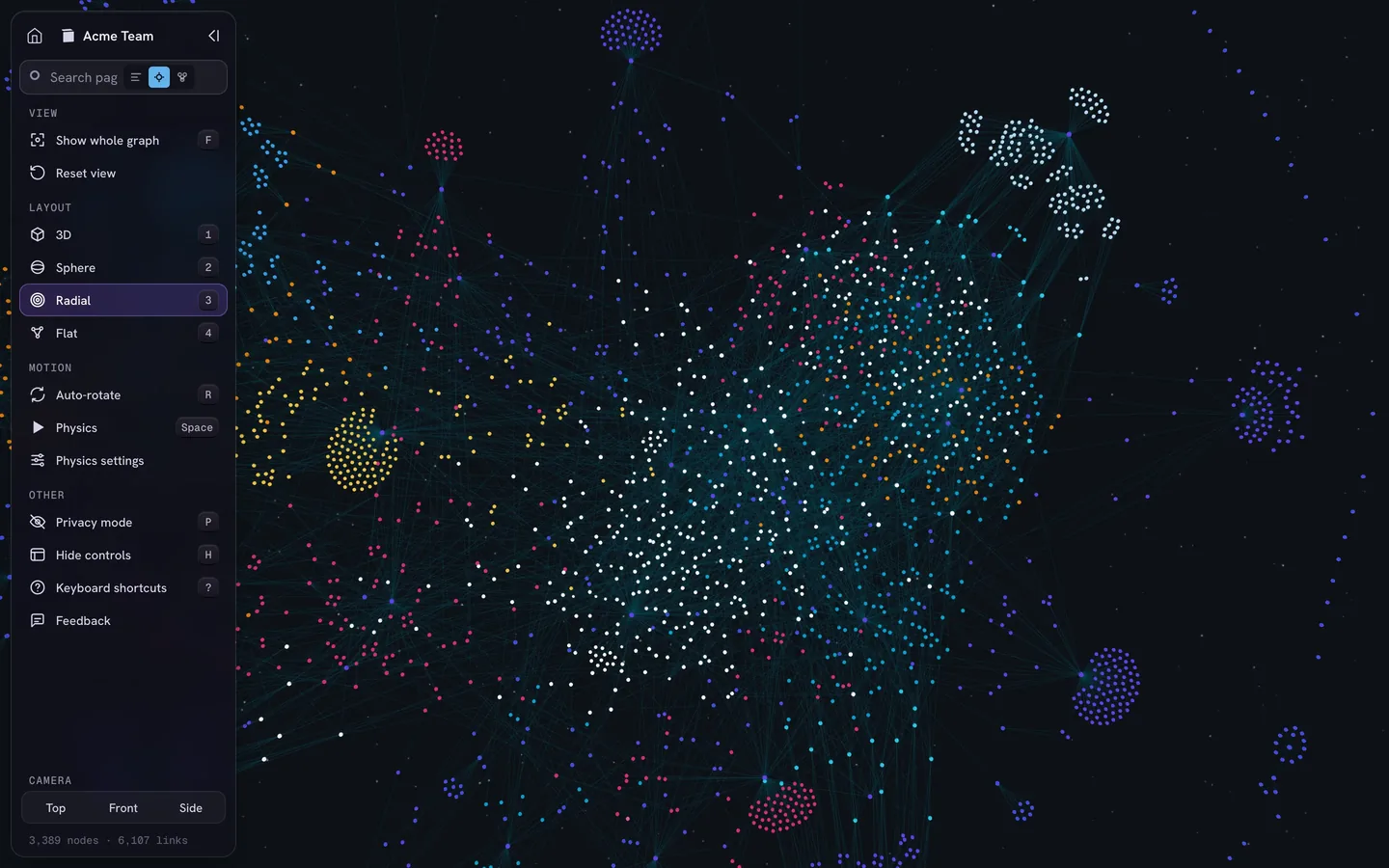
If you’re moving to Notion, you lose the graph. That gap is why we build IVGraph: it shows a Notion workspace as an interactive 3D graph, with pages and databases as nodes and mentions, backlinks and database relations as links. You can search it, find the most linked pages and color pages by rules. It’s free up to 500 nodes and works only with Notion. To see your current vault as a graph before you move, try our free Obsidian Graph Online tool: it draws notes, links and tags in 2D or 3D in your browser, without uploading the files.
FAQ
What is the best free alternative to Obsidian?
For linked notes with a graph view, Logseq, SiYuan, Trilium and Zettlr are free and open source, and Zettlr opens your vault folder as it is. Anytype and Capacities also have free plans with backlinks and a graph view. If the only cost you want to avoid is Obsidian Sync, keep Obsidian and sync through iCloud, Syncthing or Git.
Is there an open-source alternative to Obsidian?
Yes. Logseq, SiYuan, Trilium and Joplin are released under the AGPL-3.0 license and Zettlr under GPL-3.0. Only Zettlr and Logseq OG work with plain Markdown files in your folders. Anytype publishes its code under a source-available license, and AFFiNE’s editor is MIT-licensed.
Which Obsidian alternative has a graph view?
Logseq, SiYuan, Trilium (as a note map), Zettlr, Anytype and Capacities have one built in. Joplin gets one from community plugins. Tana Outliner, Notion, Heptabase and AFFiNE have none; for Notion, third-party tools such as IVGraph draw the workspace as a graph.
Can I use Notion instead of Obsidian?
Yes, if you can work in the cloud. Notion is stronger for teams, databases and real-time editing; Obsidian is stronger for local Markdown files, plugins and a built-in graph view. Notion imports Markdown, but Obsidian-specific syntax such as wikilinks and embeds needs fixing after the import.