


The Problem: Why Notion Becomes a Graveyard of Notes
I have over 1800 pages in Notion. Projects, meeting notes, reading lists, contact databases, plans, article drafts.
Sounds like a well-organized system. In practice — I stopped finding what I'd written. I kept running into duplicate notes I'd created three months apart. I forgot I'd already researched a topic and started over from scratch.
The problem isn't Notion. We write linearly (page after page), but think associatively (one idea hooks into another). Notion stores data in folder hierarchies. But knowledge isn't a hierarchy. It's a network.
Three symptoms that your Notion is "dead":
- Duplicates. You create a note without knowing a similar one already exists on another page.
- Lost connections. Two projects overlap, but you can't see it — they're in different folders.
- Manual search. Every time you need information, you hope to remember the right keywords.
If you have more than 200 pages in Notion, you've likely encountered at least one of these. I solved this problem step by step. First LLM. Then the graph.
Second Brain in 2026: What LLMs Changed
The Second Brain concept predates LLMs by years. Tiago Forte formulated the CODE method: Capture, Organize, Distill, Express.
Until 2025, this worked right up to the Distill stage. Capturing and organizing — easy. Distilling the key points from hundreds of notes — not so much. There's never enough time for that.
LLMs closed this bottleneck:
| Stage | Before | Now (with LLM) |
|---|---|---|
| Capture | Copy into Notion | Same + LLM collects automatically |
| Organize | Manually into folders | LLM suggests tags and connections |
| Distill | Read and highlight yourself | LLM creates summaries and wiki pages |
| Express | Write from scratch | LLM helps, knowing your entire base |
An LLM can read your entire knowledge base and find patterns you'll miss. Not because it's smarter — but because it doesn't get tired.
Three Layers: Sources, Wiki, Graph
In April 2026, Andrej Karpathy — former head of AI at Tesla and one of the founders of OpenAI — published a pattern he called LLM Wiki. The idea is simple: instead of making the LLM re-read raw documents every time, you ask it to pre-compile your materials into a structured wiki. The approach quickly gained traction across the AI community — and it's what my own system is built on.
┌─────────────────────────────────┐
│  1. RAW SOURCES (immutable)     │  PDFs, articles, transcripts
│     You only add                │  LLM only reads
├─────────────────────────────────┤
│  2. WIKI (LLM writes & maintains)│  Summaries, concepts,
│     You read and ask            │  timelines, crosslinks
│     questions                   │
├─────────────────────────────────┤
│  3. GRAPH (visualization)       │  Nodes = pages
│     You explore visually        │  Edges = connections
└─────────────────────────────────┘
In practice: you drop a PDF report into a folder. Claude Code reads it, extracts key concepts, creates a wiki page with a summary, and adds links to related pages that already exist.
Why This Beats Regular Search
The standard approach (RAG) searches for relevant text chunks on every query, inserts them into context, and responds. Every query starts from zero. No accumulation.
The wiki approach works differently. The LLM synthesizes information once and saves it. The next query builds on what's already been synthesized. Knowledge compounds — like compound interest, but for information.
My Stack: Notion + Claude Code + IVGraph
When I tried this approach with my own notes, the stack came together like this:
| Component | Tool | Role |
|---|---|---|
| Storage | Notion | Notes, databases, documents |
| Synthesis | Claude Code | Reading, analysis, wiki generation |
| Visualization | IVGraph | 3D graph of connections between pages |
Notion — because that's where my 1800+ pages already live. Migrating to Obsidian would mean months of work.
Claude Code — works directly in the terminal, reads files natively, remembers context across sessions. It's not a chatbot — it's a tool that works with your data.
IVGraph — Notion has no built-in graph (unlike Obsidian). IVGraph takes your workspace and builds an interactive 3D graph with semantic search.
Notion as the Raw Data Layer
Notion in this system is the storage layer. You keep working in it as usual. The only thing worth changing — intentionally link pages to each other.
| Connection Type | How to Create | Example |
|---|---|---|
| Mention | @page_name in text | "Discussed at @Team Meeting" |
| Relation | Database property | Project → Tasks |
| Parent | Nested pages | Folder → Page |
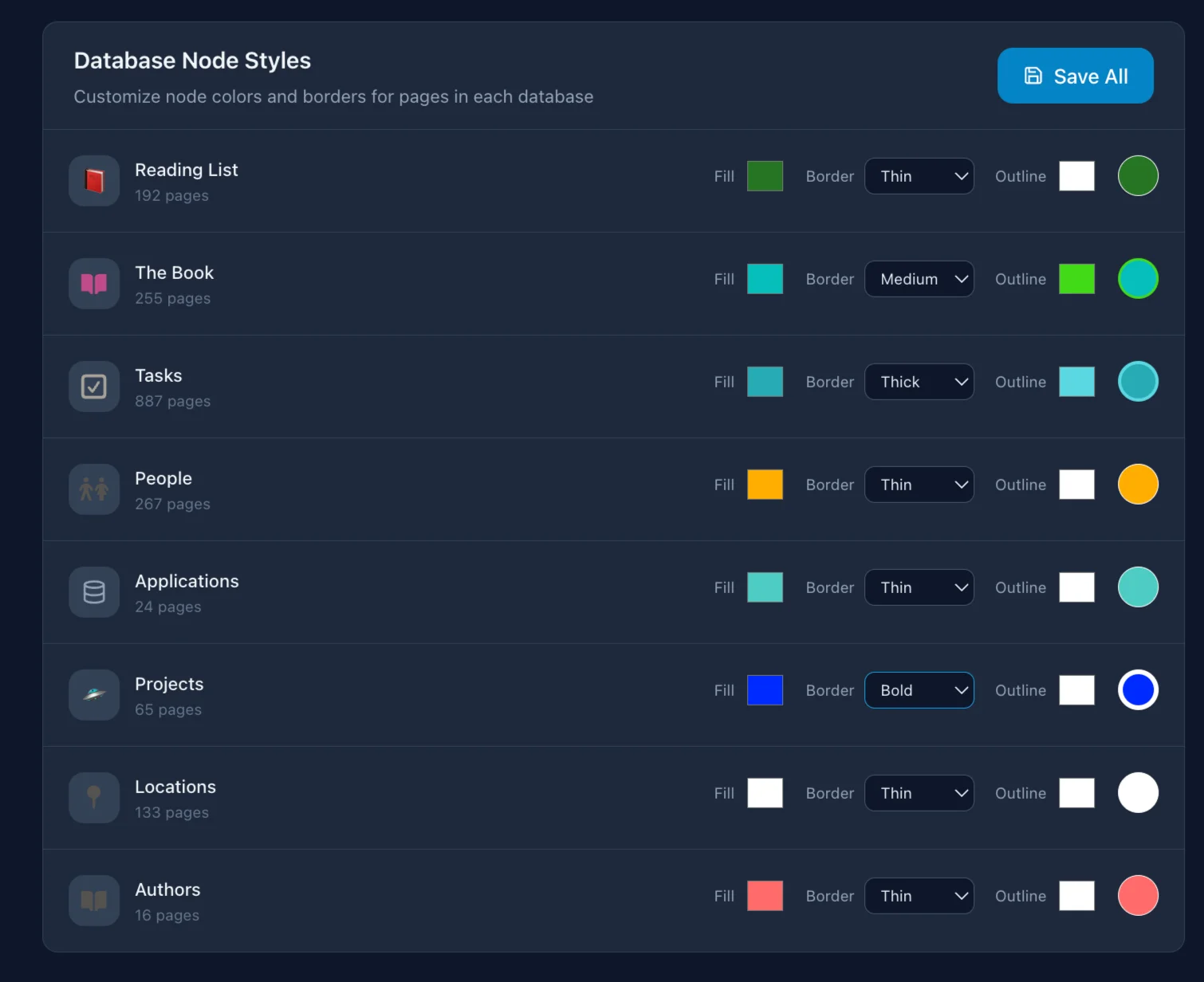
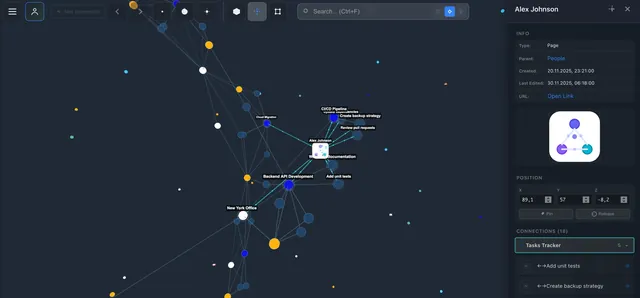
I have a "Projects" database with 40+ projects. Each is linked to a "Tasks" database via Relation. When IVGraph built a graph from this — I saw that 6 projects formed a tight cluster even though they lived in different folders. That knowledge was buried in Relation properties I never browsed as a whole.
You don't need a special structure, tags, or perfect organization. The LLM handles chaos just fine.
Claude Code: Synthesis and Finding Connections
What Claude Code Does in My Workflow
Summaries and synthesis. I upload a long document → Claude creates a summary and links it to existing notes. Last week I uploaded a 40-page report — in 2 minutes I got a page with 8 key takeaways and 4 links to my notes that overlapped with the report's findings.
Gap analysis. "What do I know about distributed systems?" → Claude scans my notes and shows which topics are covered and which aren't.
Weekly digest. Everything that changed during the week: new notes, updated projects, overdue tasks.
Crosslinking. Claude finds pages that should be connected but aren't. It once found two of my SEO analytics notes written 4 months apart that I'd forgotten about. Linking them gave me a more complete picture.
How to Connect
One command via MCP (Model Context Protocol):
claude mcp add --transport http notion https://mcp.notion.com/mcpAfter that, Claude Code can read pages, create new ones, update database properties, and search content.
CLAUDE.md — Context Without Repetition
A file at the project root that Claude Code reads on every launch:
# My Notion workspace
- Always cite the source when creating summaries
- Link new notes via @mentions
- Projects DB: 40+ projects, linked to Tasks via Relation
No need to explain context every time. And memory files preserve insights across sessions: each one builds on the previous.
The Graph — The Missing Piece
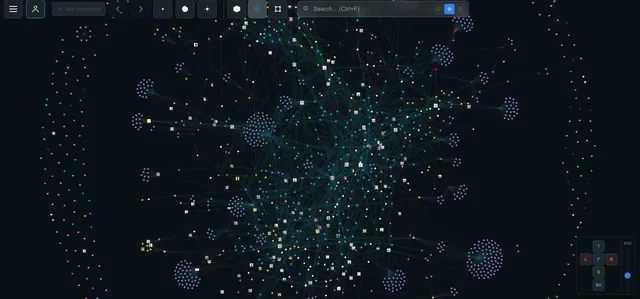
Text is linear. Databases are tabular. But knowledge is a network.
What the Graph Gave Me
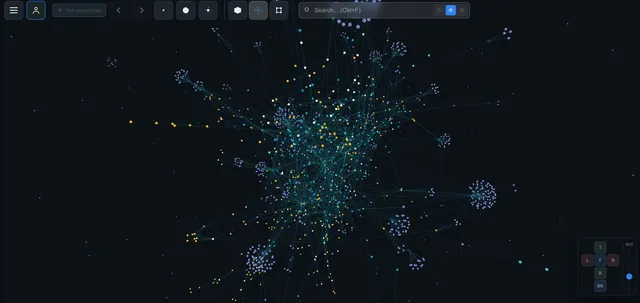
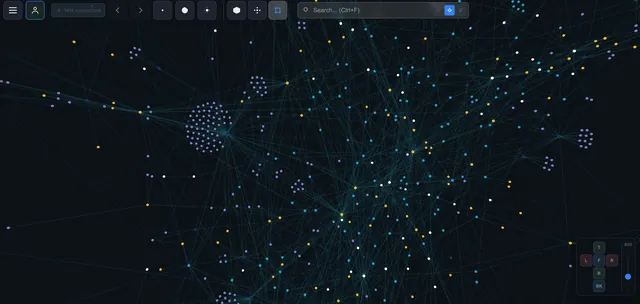
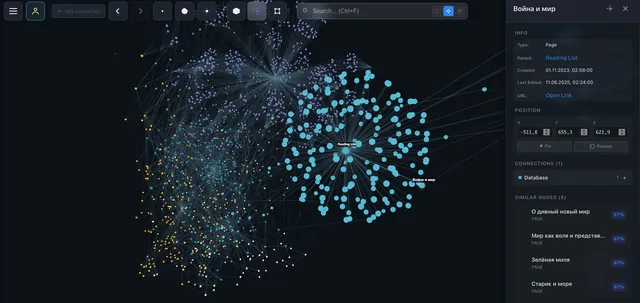
Clusters. 1800 pages in a 3D graph — and you immediately see which groups are tightly connected. My "marketing" and "data analytics" notes formed two separate clusters with a single link between them. I spotted this in seconds — without the graph, I might not have noticed for months.
Gaps. If two clusters are close but have few connections — that's a knowledge gap. The graph shows not just what you know, but what you don't know.
Serendipity. In Notion, you search. In the graph, you wander. I clicked on a node from one project, spotted a link to a forgotten note — and found the solution to a problem I'd been stuck on for a week.
How It Works
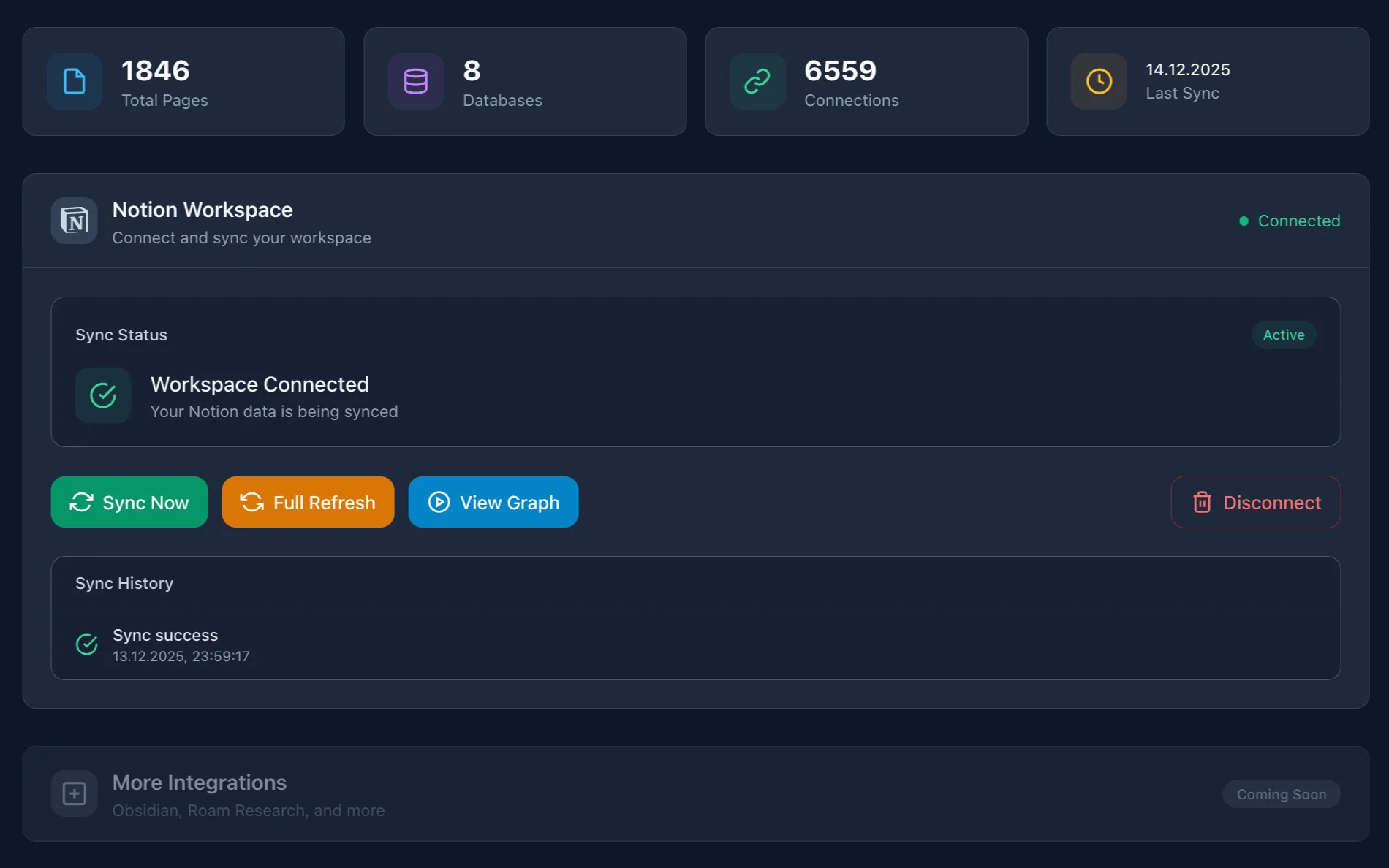
- Connect Notion via OAuth
- IVGraph syncs the data (pages, databases, properties, connections)
- Builds a graph: nodes = pages, edges = mentions/relations/parent-child
- Renders in interactive 3D
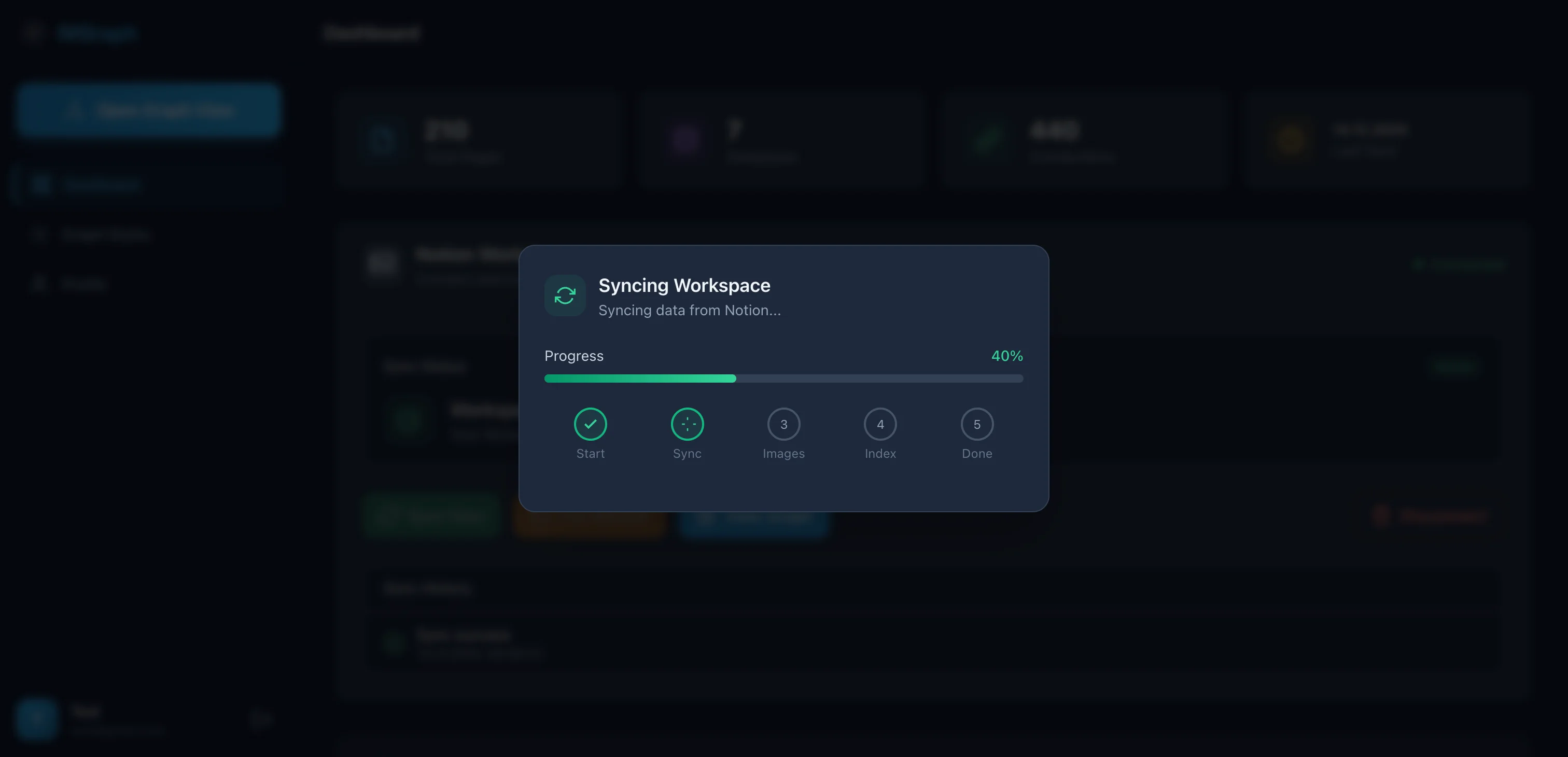
Sync is incremental. First import of 1800 pages takes about 5 minutes. After that, only changes are updated.
My Daily Workflows
Morning (5 minutes)
I open IVGraph — immediately see which notes were updated. Check the cluster for my current project. If something catches my eye — click, read. 5 minutes in the morning saves an hour of searching later.
Topic Research (15-30 minutes)
Preparing for a conversation about SEO strategy:
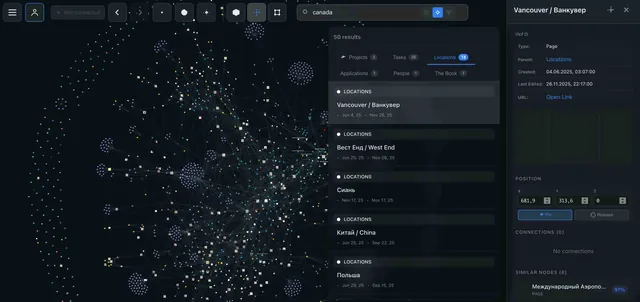
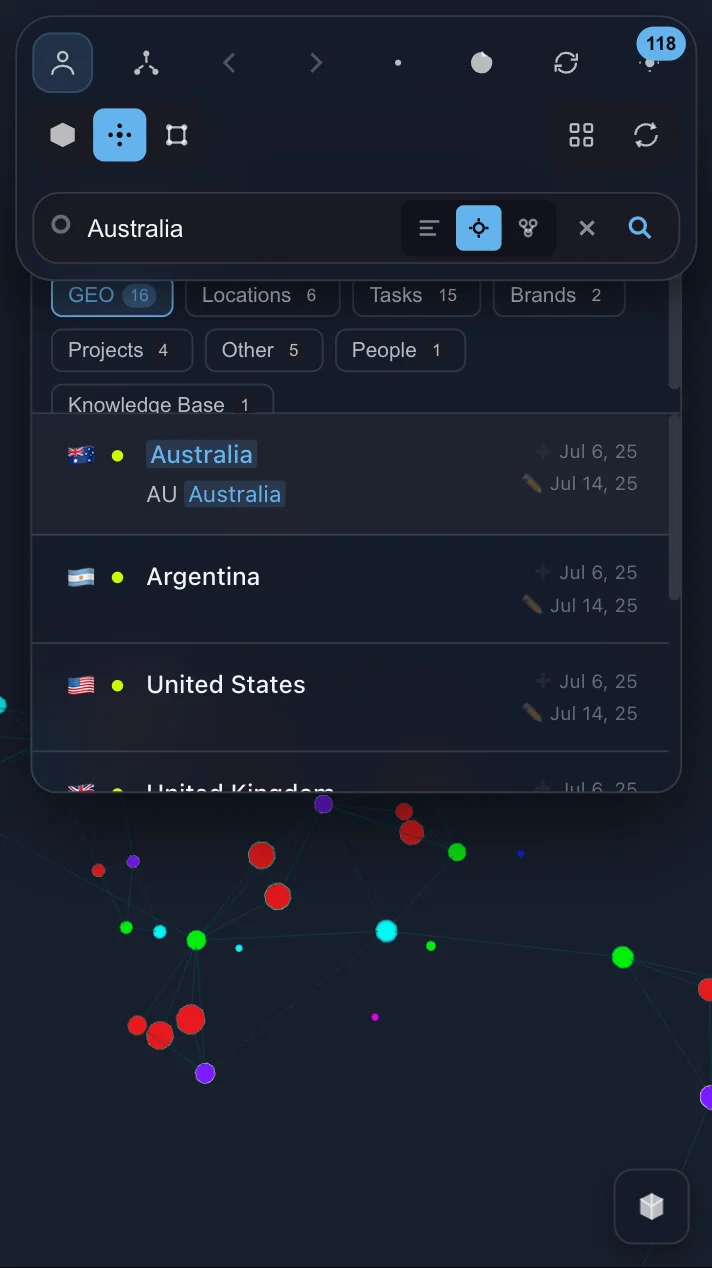
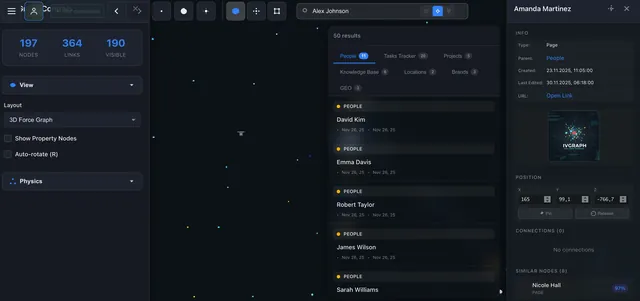
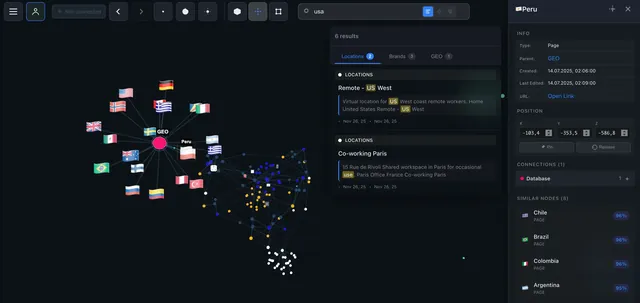
- Search "SEO" in IVGraph — semantic search finds not just pages with that word, but semantically related ones too
- Visually locate the cluster — see which topics are nearby, which are distant
- Ask Claude Code: "Gather everything I know about SEO from these 12 pages. Show me the gaps"
- Claude responds: "You have nothing about technical SEO for SPAs"
- Now I know exactly what to research
Sunday Review (30 minutes)
- Claude Code analyzes new notes from the week (usually 5-15 pages)
- Suggests crosslinks — often finds 3-5 connections I hadn't considered
- Updates summaries for topics that changed
- I review and confirm
The real value isn't the links themselves — it's that I regularly see my knowledge base from above.
Notion vs Obsidian: How to Choose
| Criteria | Obsidian | Notion |
|---|---|---|
| Files | Markdown (local) | Cloud (API) |
| LLM Access | Direct | Via MCP |
| Graph | 2D (built-in) | 3D (via IVGraph) |
| Collaboration | Git / Sync | Built-in |
| Databases | No | Native |
Obsidian — if you work solo and want full control. It has Smart Connections (semantic search), Copilot (RAG chat), claude-obsidian (wiki + autoresearch). If I were starting from scratch, I'd probably pick it.
Notion — if you have a team, real databases, and your data is already there.
I tried a hybrid for three months. Went back to pure Notion — two storage systems created more problems than they solved.
Limitations and Getting Started
What Doesn't Work
LLMs make mistakes. Claude once linked "Python decorators" with "interior decor" — both contained the word "decorator". Always verify automatic crosslinks.
Context is limited. Claude can't read all 1800 pages at once. The solution — query the neighborhood of a node (1-3 hops), not the entire base.
First setup takes 15-30 minutes. Not instant, but it's a one-time thing.
The 3D graph is disorienting for the first couple of sessions. After that, you navigate quickly.
My main takeaway: don't be afraid of messy notes. The LLM and graph pull structure out of what looks like chaos.
Three Steps in 15 Minutes
1. Connect Claude Code to Notion (5 minutes)
claude mcp add --transport http notion https://mcp.notion.com/mcp2. Try your first query (5 minutes)
"Read my Notion workspace. Find 5 pages that are related by meaning but not linked."
3. Visualize the connections (5 minutes)
Go to ivgraph.com, connect your workspace.
Find isolated nodes — those are forgotten notes. Click the largest node — that's your knowledge "hub". From there, experiment.
Start with the graph, add the LLM, and in a couple of weeks you'll notice you're working with your notes in a completely different way.